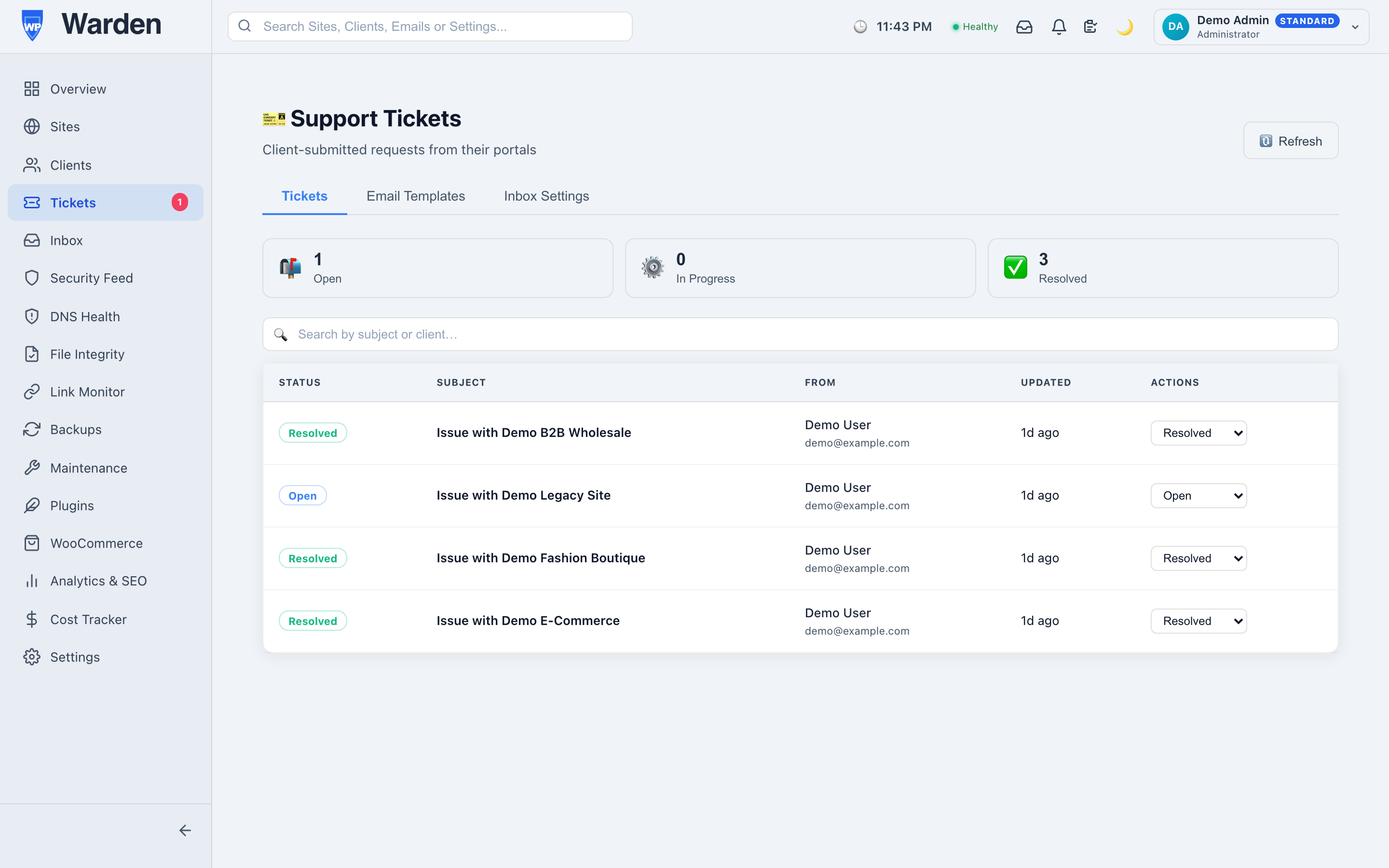
A client opens their first support ticket and gets back a plain, generic confirmation email that could have come from literally any support system anywhere. It’s a small moment, but it’s also the first real impression of what your support process feels like, and “generic” is rarely the impression a paying client should walk away with.
A support interaction almost always starts with an automated email, long before a human ever replies. That email sets an expectation about the quality of everything that follows — a polished, on-brand confirmation reads as “this is a serious, well-run operation”; a generic default reads as an afterthought, regardless of how good the actual support turns out to be once a person gets involved.
WP Warden’s email builder constructs ticket notification emails — creation confirmations, reply notices, status updates — from rearrangeable blocks: text, button, image, divider. There’s no HTML to write and no developer to loop in for a simple wording change; redesigning a status-update email is a matter of minutes in the block editor itself.
Each text block supports genuine merge variables like {{client_name}} and {{ticket_id}}, replaced with actual ticket data at the moment an email is sent — not a static block of text that reads the same regardless of who receives it. A live preview shows exactly how the message will look with sample data filled in before anything is saved, so there’s no guessing whether the variables will render correctly once it’s live.
A default, unbranded ticket confirmation reads like it could have come from any support system anywhere — plain text, no logo, no color, nothing that says which company actually sent it. A branded version, built in a few minutes with the drag-and-drop editor, carries the agency’s logo, its accent color, and a tone that matches the rest of the client relationship. The information conveyed is identical either way; only the impression it leaves is different, and that impression is exactly what a client remembers the next time a renewal conversation comes up.
Every automated email a ticket can trigger goes through this same builder — the initial confirmation when a ticket is created, a notification when a reply comes in, and status updates as a ticket moves through its lifecycle. Customizing one doesn’t require touching the others, so a small wording tweak to just the confirmation email, for instance, is a quick, isolated change rather than something that risks affecting the rest of the flow.
No — the entire builder is block-based drag-and-drop, with no code required to make even significant changes.
Yes — a live preview with sample variables filled in shows exactly what will be sent before any change goes live.
Start a free 14-day trial — no credit card required.
A client opens their monthly report and it’s beautifully branded — your logo, your colors, exactly the professional touch you intended. Then they click through to the support portal and it’s a completely different, unbranded interface. The inconsistency is small on paper and surprisingly noticeable in practice; it’s the kind of thing that quietly makes a polished service feel less put-together than it actually is.
A client who sees your brand consistently everywhere builds trust in your business specifically. A client who sees your brand in one place and an unfamiliar generic interface in another starts, even subconsciously, wondering what else might be inconsistent about the service — a question you never want a client asking, especially one who’s currently deciding whether to renew.
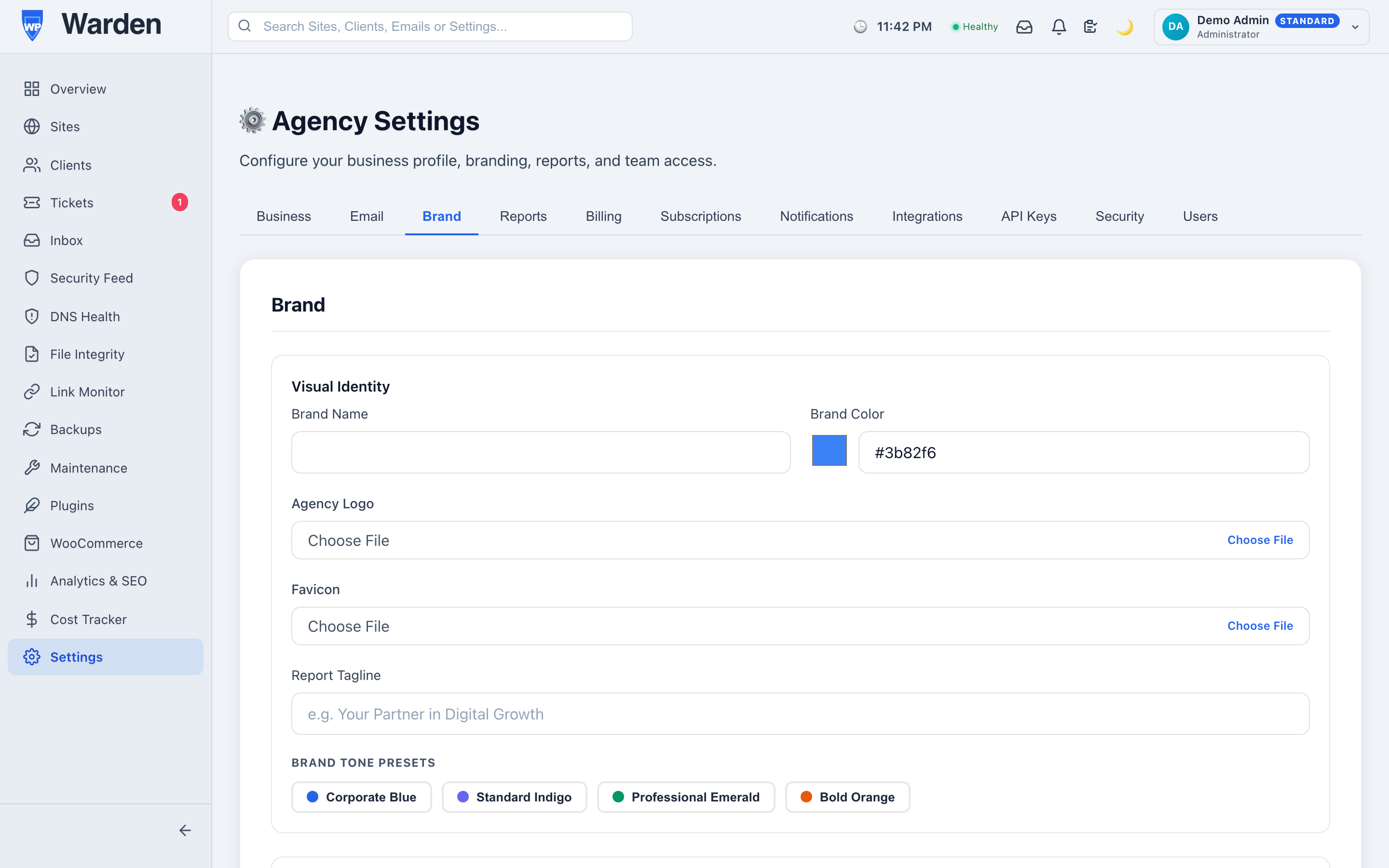
Upload your logo and set your brand color once in WP Warden’s brand identity settings, and that customization applies automatically across everything a client sees — their own portal, PDF-exported reports, and ticket email templates. There’s no separate configuration screen per channel to remember, and no way for one touchpoint to drift out of sync with the others because they all read from the same setting.
A consistently branded experience is a genuinely underrated part of justifying a premium retainer rate. It’s not that branding itself does the work — the underlying maintenance quality still has to be real — but a client comparing two otherwise similar agencies will consistently perceive the one with a cohesive, professional presentation as the more serious, more established option, and price accordingly in their own head before a conversation ever happens.
Clients rarely articulate branding consistency as a reason they trust an agency — it operates below the level of conscious evaluation, more felt than reasoned about. But the effect is real: a consistent visual identity across every touchpoint reads as competence and attention to detail, even to a client who couldn’t say exactly why the experience feels more polished. It’s one of the few genuinely low-effort investments — set once, applied everywhere — that pays off in a perception most agencies would otherwise have to earn through months of flawless delivery alone.
The setup itself is genuinely quick — a logo file and a single accent color, both things most agencies already have on hand from their own existing branding materials. There’s no design work required specifically for this; whatever brand assets already exist for a website or a proposal deck are exactly what belongs here too.
No — one setting propagates to every client-facing touchpoint automatically, with nothing further to configure per channel.
Yes — each can be customized independently without needing entirely separate tools or accounts.
Start a free 14-day trial — no credit card required.
You send a polished monthly report to every client, on schedule, without fail. It feels like proof of value — until a client cancels and mentions, almost in passing, that they’d stopped opening those reports months ago. Sending is not the same as being read, and there’s no way to tell the difference from a standard email service’s “delivered” status alone.
Email delivery confirmation only ever confirms one thing: the message reached a server successfully. It says nothing about whether a human being actually opened it, skimmed the subject line and archived it, or filtered it straight to a folder they never check. For a monthly maintenance report — the single piece of communication most likely to justify a retainer in a client’s mind — that gap matters more than almost anywhere else in the relationship.
Every client report WP Warden sends by email includes an invisible 1×1 tracking pixel. When a client actually opens that email, a timestamp and IP address are recorded — building a real picture of who genuinely engages with their monthly reports versus who never opens them at all, visible in a dedicated platform-owner-level dashboard rather than guessed at from silence.
A client who stopped opening reports three months ago rarely announces it. What usually happens instead is a quiet, gradual drift toward the cancellation conversation, with no single moment that would have tipped you off — unless you’re actually watching for it. Open-rate data turns that invisible drift into something you can act on early: a quick, low-pressure check-in call to a client whose engagement has clearly dropped tends to either surface a real problem worth fixing or reassure them the relationship is still valued, both of which beat finding out only after they’ve already decided to leave.
One unopened report doesn’t mean much on its own — people miss emails for entirely unremarkable reasons. The signal worth acting on is the pattern: three consecutive months unopened, or a client who used to open every report within a day now taking two weeks or not opening at all. That shift, tracked over time rather than judged from a single instance, is what separates a genuine early warning from noise you’d be wrong to overreact to.
Seeing that a client has stopped opening reports is only useful if it changes what you do next. The right response is rarely a scripted email — it’s a genuine, low-pressure check-in that doesn’t mention the tracking at all, just an honest “how’s everything going, anything we should be doing differently.” More often than not, the answer reveals something real worth addressing, and the relationship improves precisely because someone noticed and reached out before the client had to bring it up themselves.
No — delivery and reading are entirely different things. Open tracking is what actually reveals the difference between the two.
In a separate dashboard scoped to platform owners, designed specifically for spotting engagement patterns across every client and agency.
Start a free 14-day trial — no credit card required.
“Just email us if something breaks” is how most WordPress agencies handle client support by default, and for a while it genuinely works. Then one day you’re trying to figure out whether a client already reported a broken checkout page three weeks ago, and the answer is buried somewhere in a shared inbox that six people have access to and nobody actually owns. A real WordPress client support ticket system isn’t about looking more professional — it’s about a support history actually existing anywhere at all.
Email support isn’t broken at ten clients. It breaks gradually, without a clear moment where you’d notice it happening: a thread gets forwarded and loses context, a client emails a personal address instead of the shared inbox, a teammate replies from their own account and now half the history lives somewhere else entirely. None of this is any one person’s fault. It’s just what an inbox does when it’s asked to be a support system it was never actually designed to be.
WP Warden’s support ticket system lives directly inside each client’s own white-label portal — the same place they already check their site’s health, not a separate tool they have to be onboarded onto. A client submits a ticket, it lands tied to the specific site it’s about, and every reply from your team is logged in the same thread. When it comes time to reply, everything is already visible: the client’s history, which site, what was already tried.
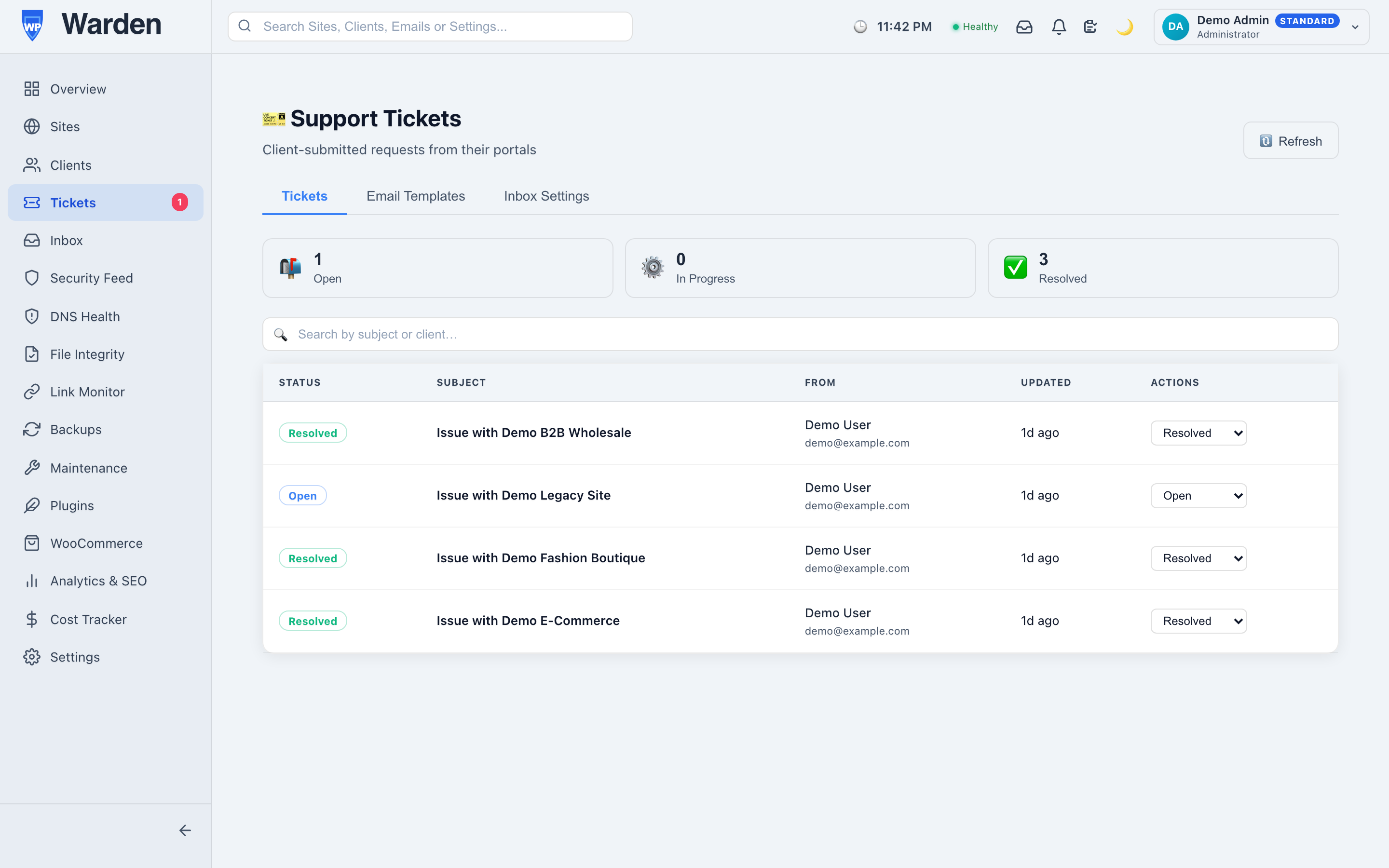
Submission is capped at five tickets per portal token per hour. That number is small enough to stop accidental double-submissions or a genuinely abusive flood, and large enough that no real client will ever bump into it during a normal support interaction. The part worth noticing is what this doesn’t require: no CAPTCHA, no account creation, no password. A client with an actual problem shouldn’t have to prove they’re not a robot before they can ask for help — the rate limit does the protective work quietly, in the background, without adding friction to the one moment where friction costs you the most goodwill.
Paired with custom email templates, every notification a client receives — a new ticket confirmation, a reply alert — looks like it came from your own tool, not a shared generic helpdesk product they might recognize from somewhere else. That consistency matters more than it seems: a client who’s paying for a white-label relationship notices immediately if the support experience suddenly looks like a different, unfamiliar brand.
Consider a fairly ordinary week for a small agency: three clients each email a different team member directly about three unrelated issues. Two get resolved quickly. The third gets forwarded to someone else, loses its original context in the process, and three weeks later nobody can say for certain whether it was ever actually fixed. Nobody dropped the ball on purpose — the system itself had no way to prevent it, because there was no single system at all, just three people’s individual inboxes doing their best.
The same scenario with a real ticket system: all three issues land in one place, tied to their actual sites, visible to the whole team regardless of who happens to be online when they come in. The third issue doesn’t get lost in a forward chain, because there’s no forward chain — just one ticket, one thread, one place to check whether it’s still open.
No — tickets are submitted through their existing token-based portal link, with no account or password required.
A rate limit of five submissions per portal token per hour, applied without requiring a CAPTCHA or an account — enough to stop abuse without adding friction for a real client.
Start a free 14-day trial — no credit card required.
Every agency eventually hits the same awkward question from a client paying a monthly retainer: “what am I actually paying for?” Saying “trust me, we’re on top of it” only works for so long. Handing over wp-admin access solves the trust problem and immediately creates a new one — one confused click in a settings screen a client doesn’t understand, and you’re now cleaning up a mess of their own accidental making. A white-label WordPress client portal is built specifically to solve both problems without trading one for the other.
Every client in WP Warden gets a unique, token-scoped portal link. From that lightly-themed portal, colored to your own brand, a client sees their site’s health, backup history, a recent work summary, and can submit a support ticket — all without ever touching wp-admin, and without ever seeing anything from your internal dashboard or another client’s data.
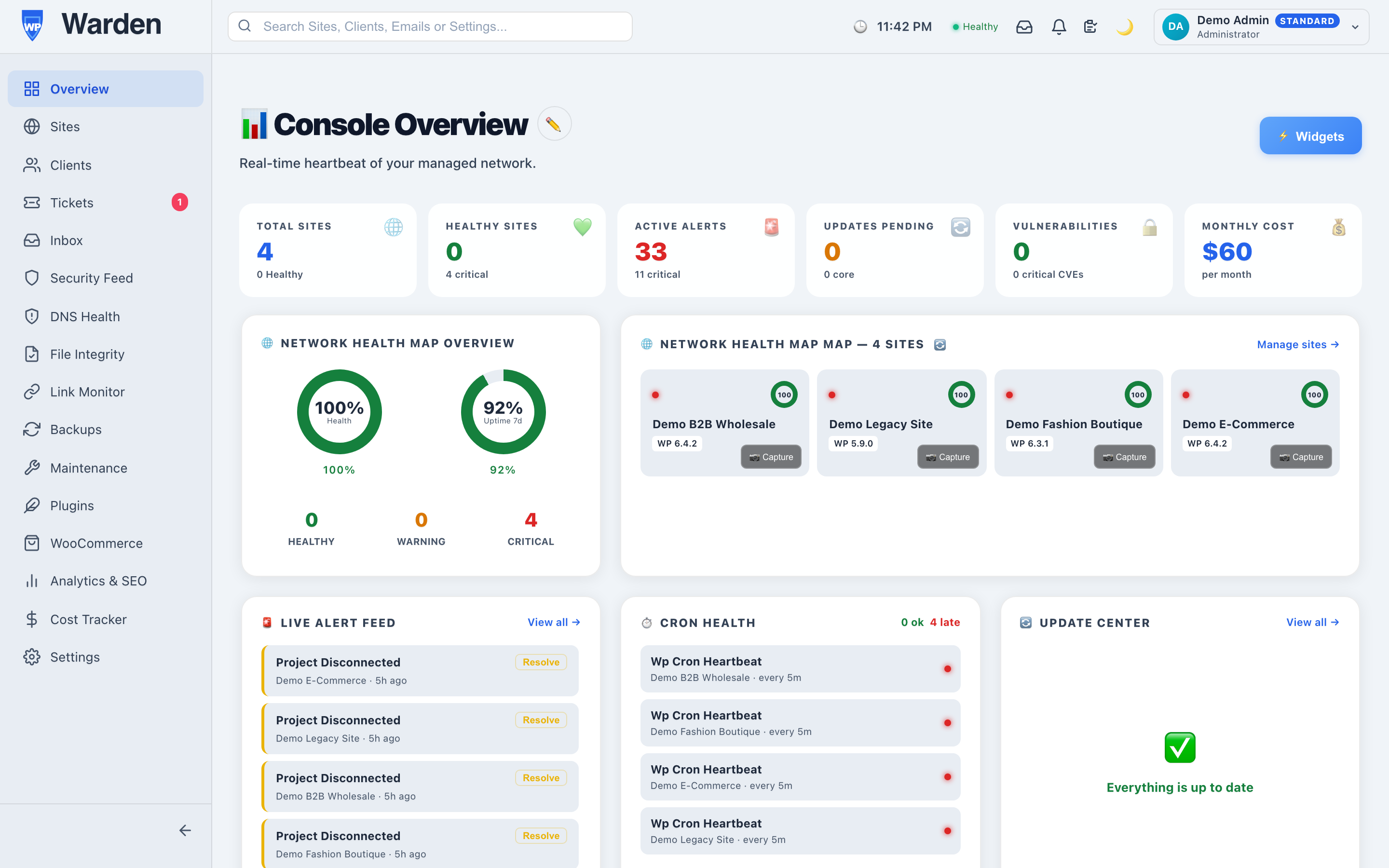
No account to create means no forgotten password standing between a client and actually checking on their own site — which, for a lot of clients, is the entire reason they never open the portal at all when it requires yet another login to remember. A unique link they can bookmark removes that barrier entirely, and it’s still scoped so tightly that it can never be used to reach anything beyond that one client’s own data.
Not every client wants the same thing from a portal. A technically-minded client might want to see everything — uptime history, backup logs, security scan results. Another client just wants one honest answer to “is my site okay,” and nothing else. Since every one of the portal’s fourteen sections is toggleable per client, the same underlying system serves both without either client feeling like the interface wasn’t built with them in mind.
A custom logo and accent color aren’t just decoration — they’re what makes a client see your own business, rather than a third-party tool their accountant might recognize the name of from somewhere else and start asking questions about. That distinction genuinely affects how a retainer conversation goes: a client renewing a relationship with an agency they trust is a different conversation than a client wondering why they’re paying a markup on a tool they could theoretically find themselves.
Picture two versions of the same renewal call. In one, a client is asked to renew a retainer based mostly on trust — they haven’t seen much evidence of the work directly, and the conversation leans on reassurance. In the other, the client has been quietly checking their portal for months, has seen backups completing and health staying steady, and the renewal conversation is closer to a formality than a negotiation. Nothing about the underlying work changed between the two scenarios — only whether the client had a real window into it the whole time.
No — each portal link is scoped strictly to that one client’s own sites and data, with no way to reach anything outside it.
Yes, every one of the fourteen sections can be toggled on or off per client individually, so each portal matches what that specific client actually wants to see.
Start a free 14-day trial — no credit card required.
Ask most WordPress agencies how they track which client owns which site, and the honest answer usually isn’t a system — it’s memory, backed up by a domain name that sort of makes sense and a spreadsheet tab nobody’s updated since March. That works fine at ten clients. It quietly stops working at sixty, when a new hire joins and has no idea which of forty similarly-named staging sites belongs to which actual paying client.
Managing ten clients by memorizing which domain belongs to whom is annoying but survivable. Managing sixty this way isn’t. Every support ticket starts with “wait, which client is this,” every report gets assembled by hand from scattered site data, and onboarding a new team member means transferring institutional knowledge that was never actually written down anywhere real. None of this is anyone’s fault specifically — it’s just what happens when the client, the actual organizing unit of the whole business, was never given a real record of its own.
WP Warden’s client management gives every client a single record that links directly to everything that actually belongs to them:
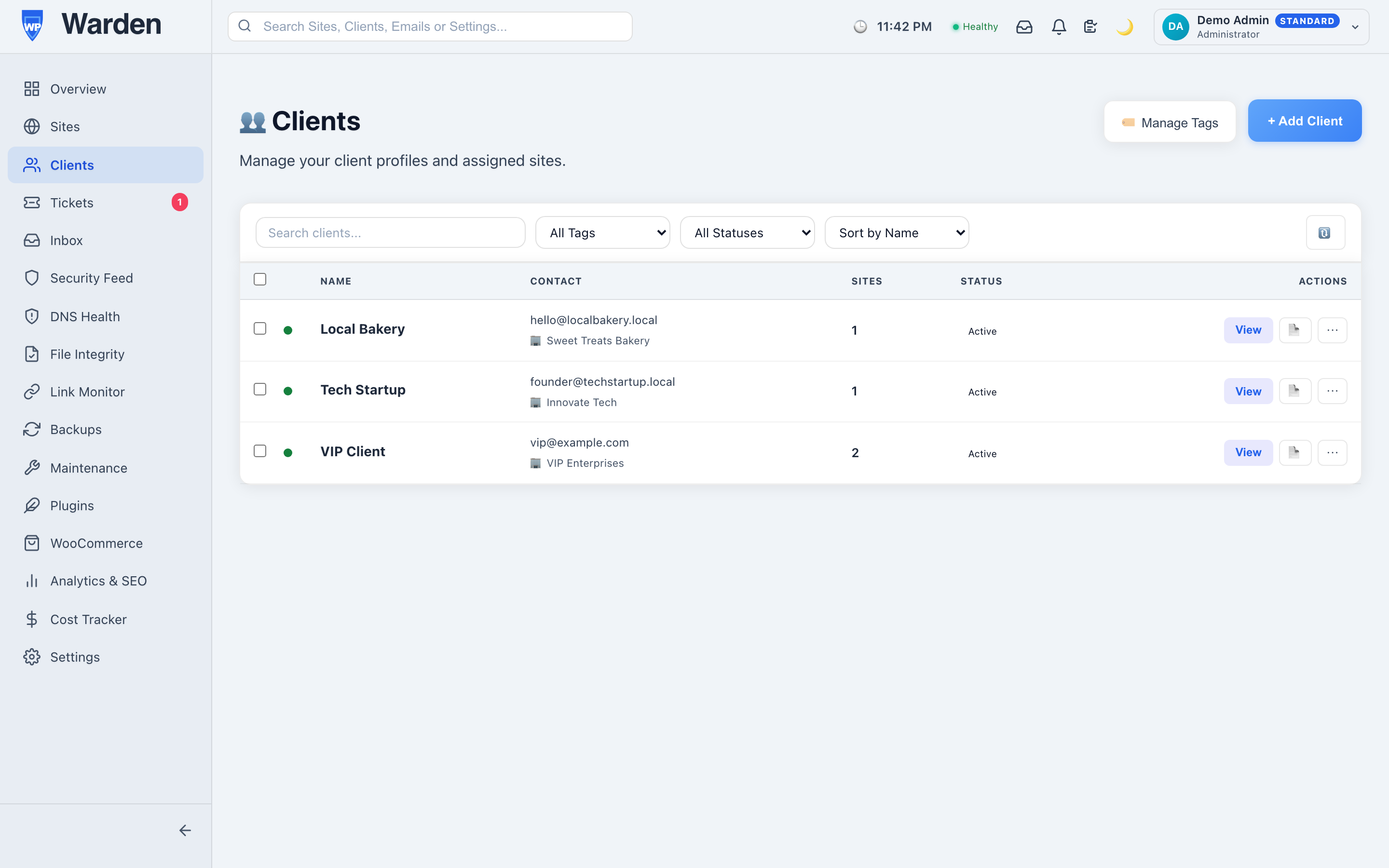
The value of a real client record is easiest to see at the exact moment a support ticket comes in. Without one: which site is this again, has this client had this problem before, do we know if their last report actually went out. Each of those is a small delay, but they compound across every single ticket, every month, across every client on the roster. With a real record, all three answers are one click away — the client’s entire history is already sitting there before you’ve finished reading their message.
It’s a small thing in isolation. Multiplied by a real ticket volume across a real client base, it’s the difference between support feeling reactive and scattered versus feeling like the agency actually has its act together — which, fairly or not, is often the single biggest factor in whether a client renews.
A surprising number of “simple” client relationships turn out not to be. A single client with a main site and a seasonal microsite, or three regional franchise locations each with their own domain, is still one relationship, one billing arrangement, one point of contact — but if the tooling treats each site as its own unrelated account, that reality gets lost, and you end up managing three disconnected fragments of what should be one coherent client story. Tying every site to a single client record fixes this structurally, rather than relying on someone remembering that these three domains are actually the same account.
Adding a new client takes a few minutes: create the client record, link their existing site (or add a new one), and optionally enable their portal right away. There’s no migration step and no need to restructure how existing clients are organized first — new and existing clients live in the same system from day one.
A client calls asking about the status of an issue they reported “a while ago,” without remembering exactly when or what site. Without a real client record, that’s a genuinely difficult question to answer quickly — cross-referencing several sites and a ticket history scattered across email threads. With one, it’s a single search: pull up the client, see every site and every ticket tied to them, and find the specific issue in under a minute. The client experiences this as competence. What actually happened is simpler — the information was never scattered in the first place.
Yes — that’s exactly the point. A client record links to as many sites as they genuinely own, all under one entity rather than several disconnected ones.
No — it’s scoped specifically to the sites, tickets, and reports a WordPress agency manages day-to-day, not general sales pipeline tracking or invoicing.
Start a free 14-day trial — no credit card required.
Ask most agency owners what a single client site actually costs to maintain each month, and the honest answer is usually a guess. Hosting is on one invoice, plugin licenses on another, a VPN or monitoring tool on a third — none of it tagged to the specific site or client it belongs to. Cost tracking for WordPress agencies exists to close that gap between “we’re profitable, probably” and actually knowing.
No single cost related to running a client’s WordPress site is large on its own — a $15/month premium plugin license here, a $30/month hosting plan there. The problem is volume: across thirty client sites, each with its own small mix of hosting, licenses, and add-on tools, the total is genuinely significant, but it’s spread across enough separate invoices and accounts that nobody ever adds it up in one place. That’s not a discipline problem, it’s a visibility problem — the data exists, it’s just never been in one view.
WP Warden’s cost and expense tracking lets you log any recurring or one-time cost — hosting, plugin and theme licenses, third-party tool subscriptions, anything else you attach a real dollar amount to — and tag each entry to the specific site and/or client it belongs to. It’s worth being clear that this is manual entry, not an automatic import from your hosting provider or license vendor’s billing system: you’re building a real record of what you’re actually spending, not connecting an API that pulls it in for you.
Costs roll up two different ways, and each answers a different question. By-site totals tell you which specific sites are quietly expensive to run — maybe one client’s site accumulated three premium plugin licenses over two years while a comparable site runs on one. By-client totals matter more when a single client has multiple sites under one retainer, since that’s the number that actually maps to what you’re charging them relative to what it costs to deliver.
Worth being direct about the actual scope here, since “cost tracking” invites an assumption this doesn’t fulfill: this tool totals and categorizes what you spend — it does not track revenue, and it does not calculate profit or margin for you automatically. There’s no field for what a client pays you, and no output that says “this account nets you 40%.” What you get is an accurate, centralized picture of the cost side of the equation, which is the half that was actually missing — most agencies already know roughly what they invoice each client; almost none have the cost side broken out this cleanly.
Once your real costs are visible by client, the margin calculation is simple enough to do yourself: take what a client actually pays you (from your own invoicing or accounting records) and subtract the cost total this feature already gives you for that client. Doing this quarterly across your full client list is usually enough to surface the accounts that look fine on revenue alone but are quietly expensive to service — a client on a flat low retainer who’s accumulated an unusual number of paid add-ons over time is exactly the kind of account this exercise tends to catch.
The easiest way into cost tracking isn’t trying to reconstruct every historical expense on day one — it’s logging costs going forward from today, plus the handful of large recurring ones you already know off the top of your head (hosting plans, the licenses you renew every year). A reasonable starting list covers hosting, premium plugin and theme licenses, any paid third-party tool tied to a specific client (a paid form service, a specialized SEO tool), and one-time costs like migrations or emergency cleanup work. Six months of consistent logging from that starting point gives you a genuinely useful picture — far more useful than an incomplete attempt to backfill two years of history that ends up abandoned halfway through.
No — every cost, including hosting, is entered manually. There’s no billing API integration pulling costs in automatically, so accuracy depends on actually logging each real expense as it comes in or on a regular schedule.
Yes — expenses can be logged as either one-time or recurring, with a frequency set for recurring ones, so a one-off migration cost and a monthly hosting bill both have a natural place to live.
Quarterly is a reasonable cadence for most agencies — frequent enough to catch a client’s costs quietly creeping up, infrequent enough that it’s not a monthly chore competing with actual client work.
Start a free 14-day trial and see what every client site is actually costing you to run.
A maintenance retainer is invisible work by design — when everything’s running smoothly, the client sees nothing happening. That’s exactly why white label client reporting matters: it’s the only evidence your client ever sees that the retainer is doing anything at all. Done well, it’s also one of the easiest ways to justify a price increase or upsell additional services. Done badly, or not at all, it’s the easiest way to lose the account to someone cheaper.
Good white label client reporting keeps to what a non-technical client actually cares about:
Resist the urge to pad it with everything the tool can measure. A 40-page PDF nobody reads is worse than a tight 2-page summary somebody actually opens.
If someone on your team is manually assembling screenshots and update logs into a PDF once a month, that’s an hour per client you’re not billing for, and the client isn’t seeing the value of. A scheduled, automatically generated report covering updates, backups, security, and performance removes that entirely. Set it up once per client, and it goes out on schedule from then on, freeing that hour for actual client work instead of copy-pasting screenshots.
A monthly PDF is a snapshot. A live client portal is always current — the client can check their own site’s status the moment they’re curious, instead of waiting for the next report or emailing you to ask. Offering both covers two different client habits: some want a monthly summary in their inbox, others want to be able to check in whenever they think of it. Agencies that offer only a PDF often find clients emailing “is everything okay?” between reports anyway — a live portal answers that question before it’s even asked.
Here’s the part almost nobody tracks: does the client even open the report you send? Tracking report opens and PDF downloads tells you whether a client is actually engaged with what you’re sending. That’s useful both as an early warning that an account might be at risk (nobody’s reading the reports anymore) and as a genuinely persuasive data point in a renewal conversation — “you’ve opened every report we’ve sent this year” is a stronger pitch than a generic renewal email.
Every report and portal should carry your agency’s logo, colors, and domain, not the name of whatever tool you use behind the scenes. Clients are paying your agency, not your tooling vendor, and a report with someone else’s branding on it undercuts that every time it lands in an inbox. White-labeling should extend to the sign-off on the PDF and the portal’s own URL, not just the dashboard you personally use.
Monthly is the standard default for most retainer clients, and it matches most billing cycles. High-value or high-traffic clients sometimes warrant a bi-weekly cadence, particularly right after an incident or a major update rollout, since it demonstrates closer attention during a period where trust matters more. Weekly reporting for every client, on the other hand, tends to create noise — clients stop reading closely once a report becomes routine background email rather than a distinct monthly event.
A surprising amount of reporting friction happens before a single report is even sent. Clients who were never told what to expect — how often, what format, what sections — tend to either ignore the first report entirely or over-scrutinize it looking for problems that were never explained upfront. A short onboarding note (“you’ll get a report like this on the 1st of each month, covering X, Y, and Z”) set at the start of the engagement does more to guarantee a report actually gets read than almost any formatting decision made afterward.
A lot of tools call themselves white label because you can upload your own logo to a PDF header. Real white label client reporting goes further than that. The portal’s own URL should be a domain or subdomain your client associates with you, not a third-party SaaS product’s domain — a client who bookmarks a link ending in someone else’s brand name has already learned who’s actually behind the tooling, which quietly undermines the “this is our in-house process” positioning most agencies want. The outbound email a report gets sent from matters too: a report arriving from your agency’s own address reads very differently than one arriving from a generic no-reply@some-vendor.com.
Color accents, an uploaded logo, and a custom sign-off line are the visible 20% of white labeling. The domain, the sending address, and whether the client ever sees a competing brand name anywhere in the experience are the less visible 80% that actually determines whether the branding holds up under scrutiny.
Yes, arguably more so — a small retainer is the easiest one for a client to cancel without much thought, and a consistent, professional report is one of the cheapest ways to keep the value visible enough that cancellation doesn’t cross their mind.
Toggleable sections are useful here — some clients genuinely want to see SEO or traffic data alongside maintenance data, others find it irrelevant clutter. A platform that lets you turn sections on or off per client, without rebuilding the report from scratch, handles this without extra manual work.
Mediocre reporting lists data. Good reporting translates that data into what it means for the client’s business — not “14 updates applied” but “your site stayed current and secure with zero downtime this month.” The underlying facts can be identical; the framing is what actually earns the renewal conversation.
Start a free 14-day trial and send your first branded report this week.