WordPress Client Support Tickets: Replacing the “Just Email Us” Approach
“Just email us if something breaks” is how most WordPress agencies handle client support by default, and for a while it genuinely works. Then one day you’re trying to figure out whether a client already reported a broken checkout page three weeks ago, and the answer is buried somewhere in a shared inbox that six people have access to and nobody actually owns. A real WordPress client support ticket system isn’t about looking more professional — it’s about a support history actually existing anywhere at all.
Table of contents
- Why email quietly stops working
- How the ticket flow actually works
- Why rate limiting without a CAPTCHA matters
- Keeping the whole interaction branded
- FAQ
- Picking up where a scattered inbox leaves off
Why email quietly stops working
Email support isn’t broken at ten clients. It breaks gradually, without a clear moment where you’d notice it happening: a thread gets forwarded and loses context, a client emails a personal address instead of the shared inbox, a teammate replies from their own account and now half the history lives somewhere else entirely. None of this is any one person’s fault. It’s just what an inbox does when it’s asked to be a support system it was never actually designed to be.
How the ticket flow actually works
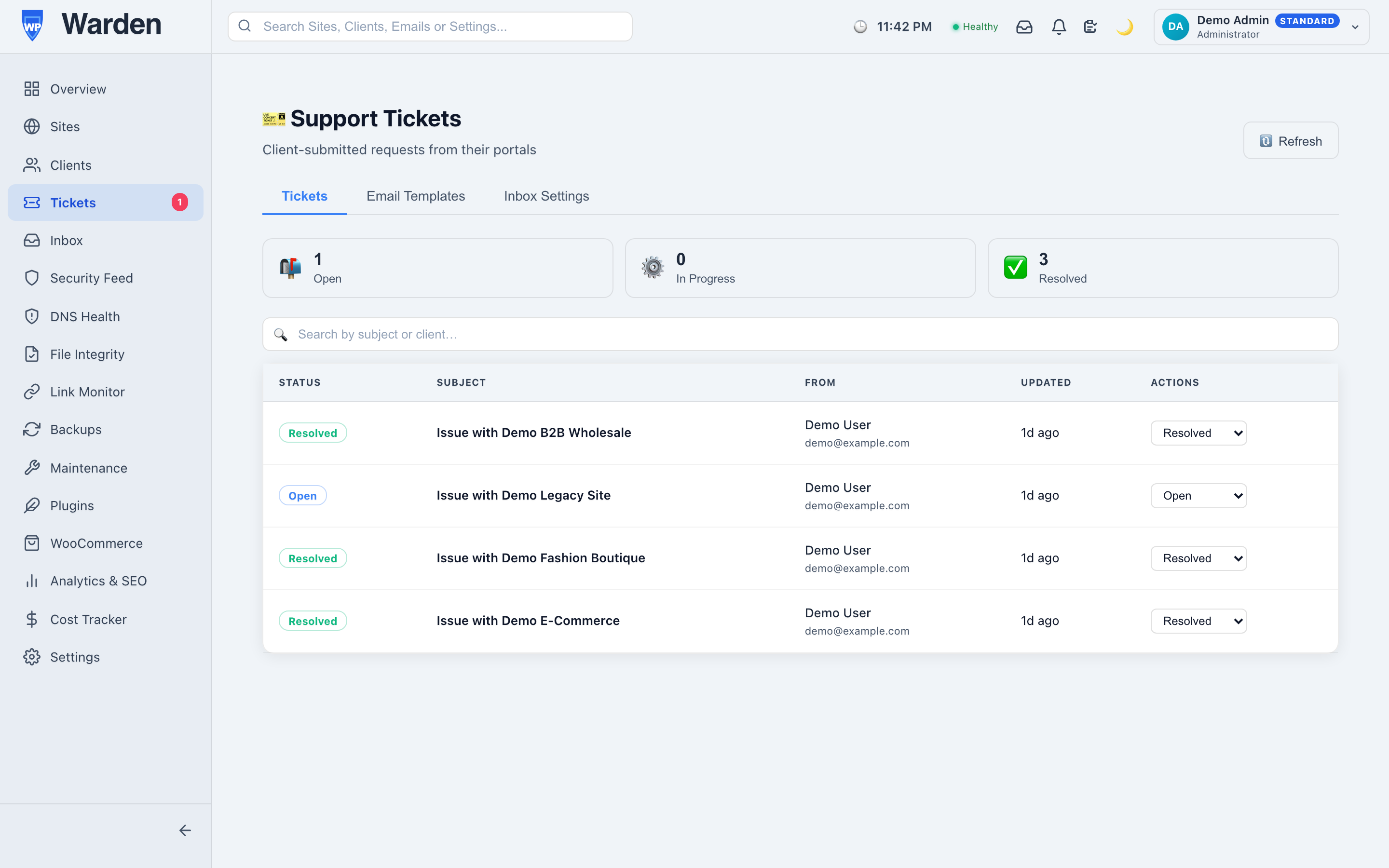
WP Warden’s support ticket system lives directly inside each client’s own white-label portal — the same place they already check their site’s health, not a separate tool they have to be onboarded onto. A client submits a ticket, it lands tied to the specific site it’s about, and every reply from your team is logged in the same thread. When it comes time to reply, everything is already visible: the client’s history, which site, what was already tried.
Why rate limiting without a CAPTCHA matters
Submission is capped at five tickets per portal token per hour. That number is small enough to stop accidental double-submissions or a genuinely abusive flood, and large enough that no real client will ever bump into it during a normal support interaction. The part worth noticing is what this doesn’t require: no CAPTCHA, no account creation, no password. A client with an actual problem shouldn’t have to prove they’re not a robot before they can ask for help — the rate limit does the protective work quietly, in the background, without adding friction to the one moment where friction costs you the most goodwill.
Keeping the whole interaction branded
Paired with custom email templates, every notification a client receives — a new ticket confirmation, a reply alert — looks like it came from your own tool, not a shared generic helpdesk product they might recognize from somewhere else. That consistency matters more than it seems: a client who’s paying for a white-label relationship notices immediately if the support experience suddenly looks like a different, unfamiliar brand.
Picking up where a scattered inbox leaves off
Consider a fairly ordinary week for a small agency: three clients each email a different team member directly about three unrelated issues. Two get resolved quickly. The third gets forwarded to someone else, loses its original context in the process, and three weeks later nobody can say for certain whether it was ever actually fixed. Nobody dropped the ball on purpose — the system itself had no way to prevent it, because there was no single system at all, just three people’s individual inboxes doing their best.
The same scenario with a real ticket system: all three issues land in one place, tied to their actual sites, visible to the whole team regardless of who happens to be online when they come in. The third issue doesn’t get lost in a forward chain, because there’s no forward chain — just one ticket, one thread, one place to check whether it’s still open.
FAQ
Do clients need a separate account to submit a ticket?
No — tickets are submitted through their existing token-based portal link, with no account or password required.
What stops a client from flooding the system with tickets?
A rate limit of five submissions per portal token per hour, applied without requiring a CAPTCHA or an account — enough to stop abuse without adding friction for a real client.
Start a free 14-day trial — no credit card required.