WordPress SEO Keyword Tracking: Proving Rankings Actually Improved
Telling a client their SEO work is paying off, with nothing to back it up beyond “it feels like things are improving,” is a genuinely uncomfortable position to be in during a renewal conversation. A single ranking check today tells you where a keyword sits right now. It says nothing about whether that’s better than last month, worse than six months ago, or exactly where it’s always been — and that missing context is usually the actual thing a client wants to know.
Table of contents
- Why a single snapshot doesn’t prove anything
- How keyword tracking works
- Using this in the actual client conversation
- FAQ
- Choosing which keywords are actually worth tracking
Why a single snapshot doesn’t prove anything
SEO work is slow and cumulative by nature, which makes it uniquely hard to communicate about without real historical data. A ranking of position eight for a target keyword sounds mediocre in isolation — until you know it was position thirty-one three months ago, at which point it’s clearly evidence the work is doing exactly what it’s supposed to. Without the history, you’re stuck asking a client to just trust that progress is happening.
How keyword tracking works
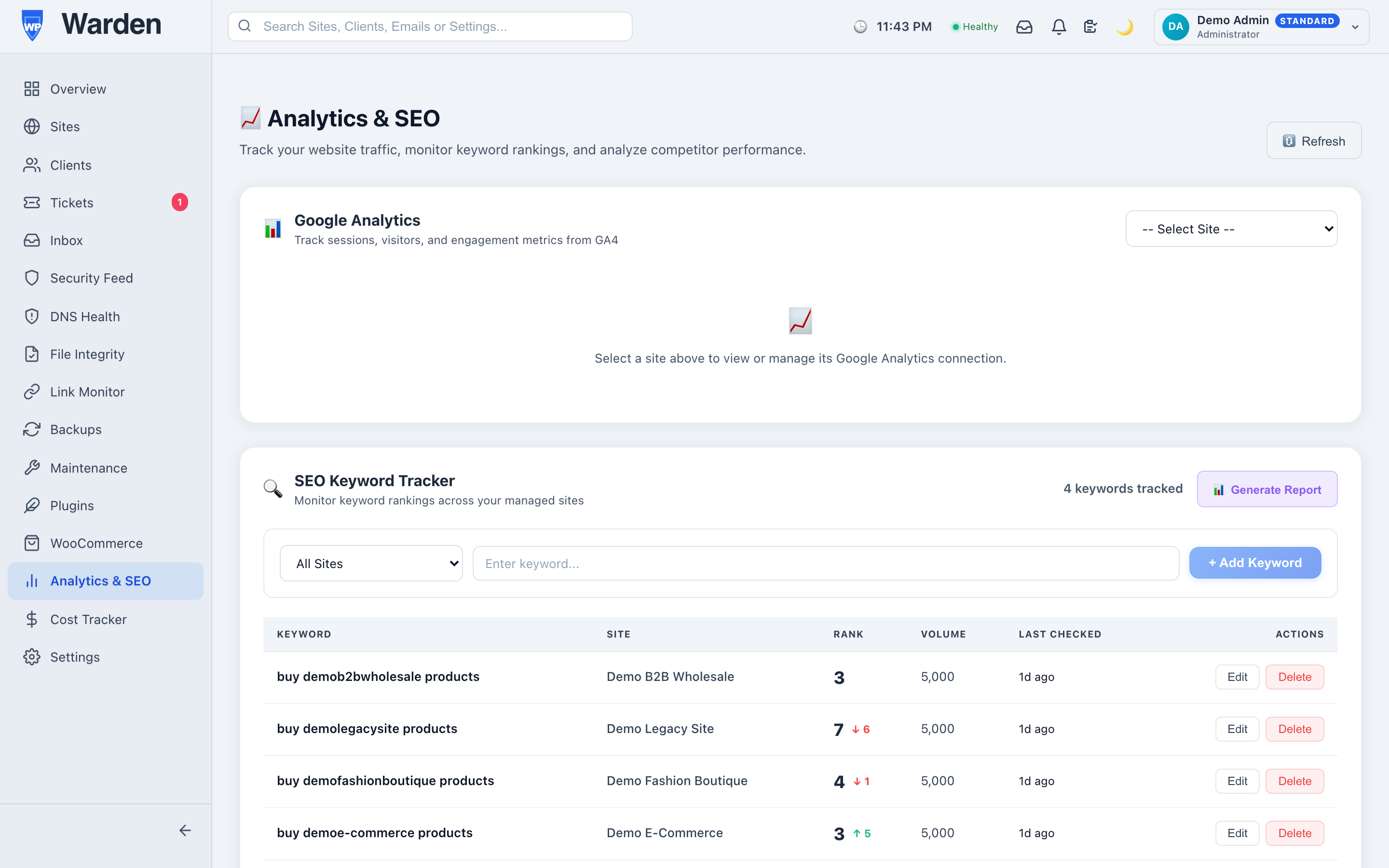
Add the keywords that matter for a site, and WP Warden’s keyword tracking follows their search engine ranking over time, building a historical record of how that ranking has moved up or down — directly from the same dashboard where you already manage the site, with no separate SEO tool subscription required just to see a trend line.
Using this in the actual client conversation
A ranking chart trending upward over six months is a far more convincing renewal argument than a verbal assurance ever will be, precisely because it doesn’t rely on the client trusting your word for it — the data speaks for itself. The same data works in the other direction too: a sudden drop on an important keyword is worth investigating immediately, since it can point to a real technical issue on the site or a broader search engine algorithm shift worth knowing about before a client notices the traffic dip on their own. Pairing this with real visitor numbers from Google Analytics for the same site rounds out the picture — not just rank movement, but whether it’s translating into actual traffic.
Choosing which keywords are actually worth tracking
Tracking every keyword a site could plausibly rank for produces a dashboard nobody actually reads. A more useful approach is tracking a deliberately short list: the handful of terms directly tied to what the business sells, plus one or two aspirational terms worth stretching toward. That’s usually five to fifteen keywords per site, not fifty — few enough that a genuine movement in any one of them is noticeable rather than buried in a wall of numbers nobody has time to scan.
FAQ
Do I need a separate SEO tool subscription?
No — keyword tracking runs directly from the same site management dashboard, with no external tool needed for this core function.
Is this a one-time check or ongoing?
Ongoing — the real value is in the trend built up over time, not a single isolated ranking snapshot with no context.
Start a free 14-day trial — no credit card required.