WordPress Activity Audit Log: Knowing Who Changed What, and When
A client setting quietly changes overnight. Nobody remembers making the change, and asking around the team gets you three different guesses and no real answer. This is the exact moment a real activity log earns its keep — and the exact moment its absence turns a five-minute question into an afternoon of speculation.
Table of contents
- The problem with relying on memory
- How the audit log actually works
- Why it has to be genuinely immutable
- FAQ
- Walking through a real investigation
- This isn’t only useful when something goes wrong
The problem with relying on memory
Teams tend to assume they’ll remember who changed what, right up until they need to and can’t. It’s not a character flaw — it’s just what happens when dozens of small changes across dozens of sites blur together over weeks. “Who did this” is a question that should have a documented answer, not one that depends on someone’s recollection of a Tuesday three weeks ago.
How the audit log actually works
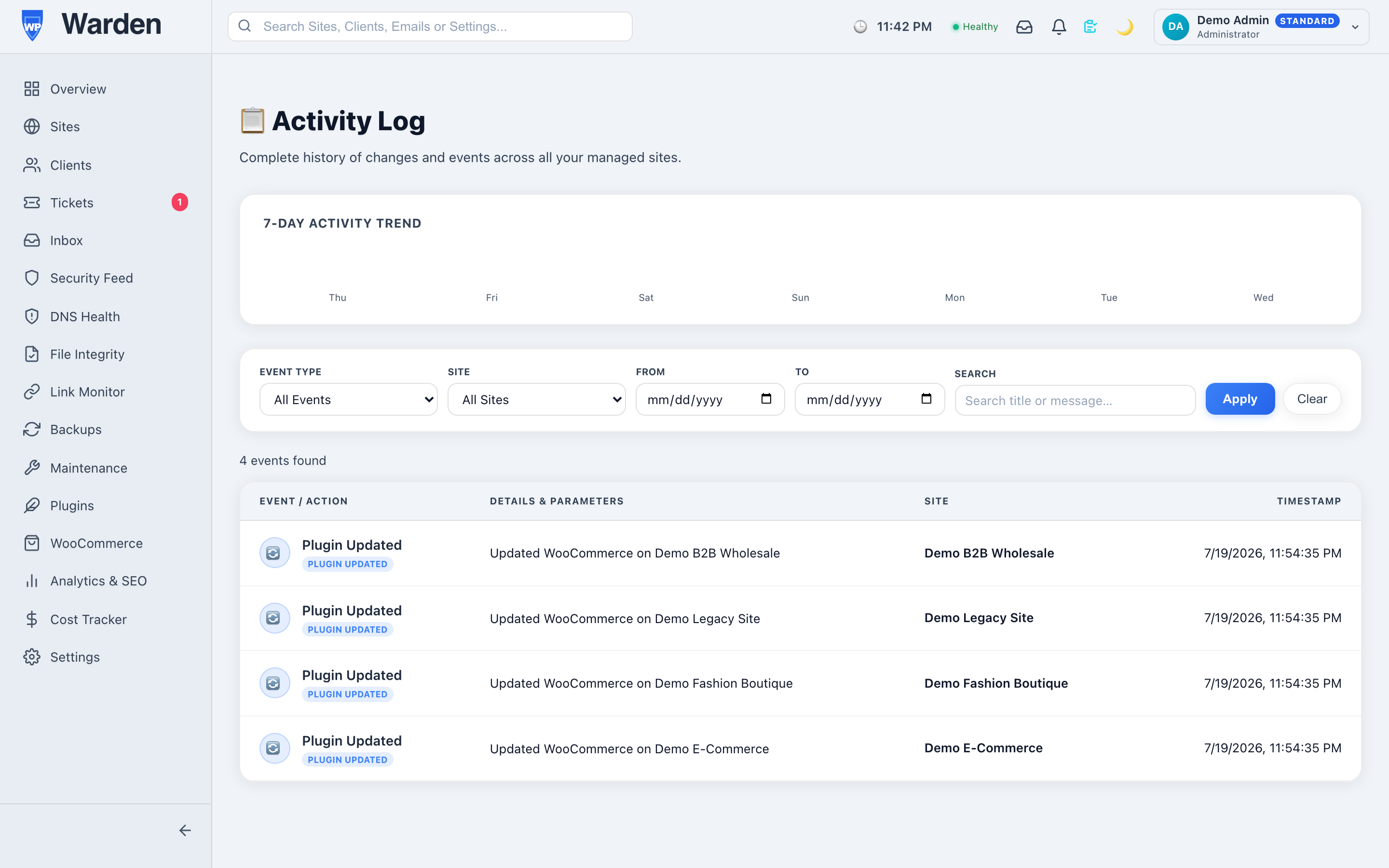
Every meaningful action a human takes in the WP Warden dashboard — updating a site, deleting an alert, changing a setting, adding a new team member — is logged in the activity and audit log with who did it, when, and exactly what changed, tied directly to the real user accounts managed under team management. There’s no ambiguity about whose action this was, because the log was built to answer that specific question by design.
Why it has to be genuinely immutable
An audit log you can edit after the fact isn’t really an audit log — it’s just a log, with all the same trust problems a shared spreadsheet has. The entire value of this record is that it can’t be cleaned up, reordered, or quietly amended later. That’s what makes it usable in a compliance review or a difficult client conversation: it reflects what genuinely happened, not a version of events someone had the chance to tidy up afterward.
Walking through a real investigation
A client’s report schedule mysteriously changes from weekly to monthly, and the client notices before anyone on the team does. Without an audit log, this becomes a round of asking everyone individually whether they touched that setting, with no guarantee anyone actually remembers a small change made weeks earlier. With the log, it’s a search: filter by that client’s settings, find the exact change, the exact person, the exact timestamp — and the conversation with the client becomes “here’s what happened and here’s the fix” instead of “we’re not sure, but we’ll look into it.”
This isn’t only useful when something goes wrong
It’s easy to think of an audit log purely as a tool for damage control, but it’s just as useful for entirely mundane confirmation — verifying a specific update was actually applied when it was supposed to be, or confirming a new team member’s first few changes went smoothly during onboarding. Most of the time nothing has gone wrong at all; the log is simply there, quietly making “what actually happened” a fact rather than a guess whenever it’s needed.
FAQ
Can log entries be edited or deleted?
No — it’s designed as a permanent record specifically so it can’t be cleaned up or altered after the fact by anyone.
Is this useful for compliance reviews?
Yes — a documented, immutable record of every administrative action is exactly what’s needed to demonstrate accountability to a client or an auditor.
Start a free 14-day trial — no credit card required.