WordPress Agency Client Management: Keeping Sites, Tickets, and Reports Under One Record
Ask most WordPress agencies how they track which client owns which site, and the honest answer usually isn’t a system — it’s memory, backed up by a domain name that sort of makes sense and a spreadsheet tab nobody’s updated since March. That works fine at ten clients. It quietly stops working at sixty, when a new hire joins and has no idea which of forty similarly-named staging sites belongs to which actual paying client.
Table of contents
- The problem with site-name-as-client-record
- What a real client record actually holds
- Where this actually pays off: the moment a ticket lands
- Clients who own more than one site
- Onboarding a new client in practice
- FAQ
- A concrete example of this actually mattering
The problem with site-name-as-client-record
Managing ten clients by memorizing which domain belongs to whom is annoying but survivable. Managing sixty this way isn’t. Every support ticket starts with “wait, which client is this,” every report gets assembled by hand from scattered site data, and onboarding a new team member means transferring institutional knowledge that was never actually written down anywhere real. None of this is anyone’s fault specifically — it’s just what happens when the client, the actual organizing unit of the whole business, was never given a real record of its own.
What a real client record actually holds
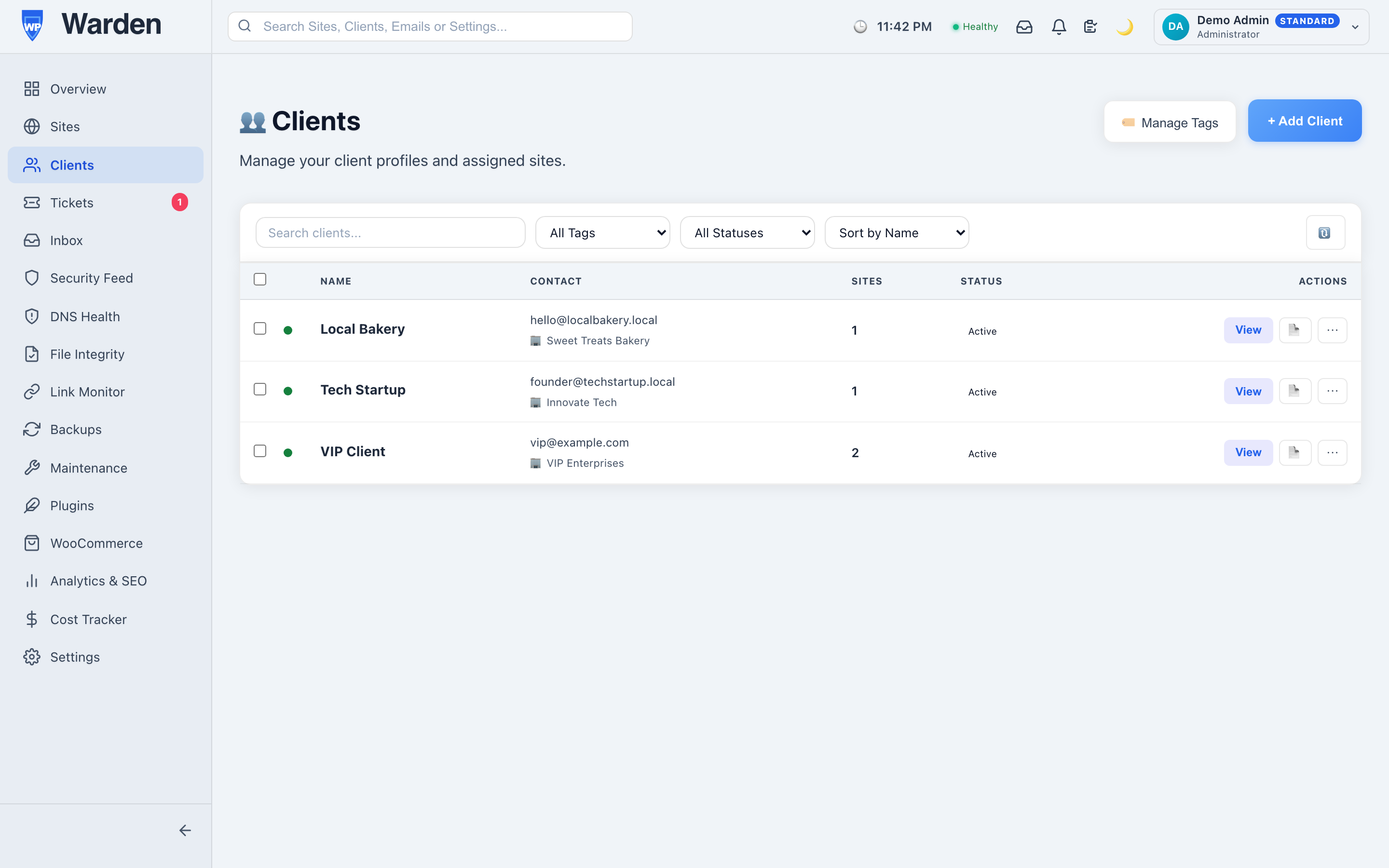
WP Warden’s client management gives every client a single record that links directly to everything that actually belongs to them:
- Every site they own, whether that’s one or a dozen, visible from a single screen instead of cross-referencing a spreadsheet.
- Their white-label portal status — active or disabled, with its own accent color and branding.
- Every support ticket they’ve ever submitted, across every one of their sites, in one thread history rather than scattered by site.
- Scheduled and past reports, so “did we actually send last month’s report” is answerable in seconds, not a search through an inbox.
Where this actually pays off: the moment a ticket lands
The value of a real client record is easiest to see at the exact moment a support ticket comes in. Without one: which site is this again, has this client had this problem before, do we know if their last report actually went out. Each of those is a small delay, but they compound across every single ticket, every month, across every client on the roster. With a real record, all three answers are one click away — the client’s entire history is already sitting there before you’ve finished reading their message.
It’s a small thing in isolation. Multiplied by a real ticket volume across a real client base, it’s the difference between support feeling reactive and scattered versus feeling like the agency actually has its act together — which, fairly or not, is often the single biggest factor in whether a client renews.
Clients who own more than one site
A surprising number of “simple” client relationships turn out not to be. A single client with a main site and a seasonal microsite, or three regional franchise locations each with their own domain, is still one relationship, one billing arrangement, one point of contact — but if the tooling treats each site as its own unrelated account, that reality gets lost, and you end up managing three disconnected fragments of what should be one coherent client story. Tying every site to a single client record fixes this structurally, rather than relying on someone remembering that these three domains are actually the same account.
Onboarding a new client in practice
Adding a new client takes a few minutes: create the client record, link their existing site (or add a new one), and optionally enable their portal right away. There’s no migration step and no need to restructure how existing clients are organized first — new and existing clients live in the same system from day one.
A concrete example of this actually mattering
A client calls asking about the status of an issue they reported “a while ago,” without remembering exactly when or what site. Without a real client record, that’s a genuinely difficult question to answer quickly — cross-referencing several sites and a ticket history scattered across email threads. With one, it’s a single search: pull up the client, see every site and every ticket tied to them, and find the specific issue in under a minute. The client experiences this as competence. What actually happened is simpler — the information was never scattered in the first place.
FAQ
Can one client have multiple sites?
Yes — that’s exactly the point. A client record links to as many sites as they genuinely own, all under one entity rather than several disconnected ones.
Does this replace a full CRM?
No — it’s scoped specifically to the sites, tickets, and reports a WordPress agency manages day-to-day, not general sales pipeline tracking or invoicing.
Start a free 14-day trial — no credit card required.