Real-Time WordPress Alerts: Why Polling Isn’t the Same as Live
A dashboard that only shows new information after a manual refresh isn’t really monitoring anything in real time — it’s monitoring on your schedule, whenever you next happen to hit F5, not the site’s schedule. The gap between those two things is exactly how a site can be down for twenty minutes before anyone on the team notices, purely because nobody happened to be looking at the right screen at the right moment.
Table of contents
- Polling versus actually live
- How WP Warden’s connection works
- What happens when the connection drops
- FAQ
- Why the gap between polling and live is bigger than it sounds
- How this plays out for a team, not just one person
Polling versus actually live
A lot of dashboards that claim to be “real-time” are actually just polling — quietly re-checking every thirty or sixty seconds in the background and calling the delay negligible. Most of the time it is negligible. But the moment that matters most is exactly the moment a thirty-second delay stops being trivial: a site going down during a high-traffic launch window, a brute-force attack accelerating across several sites at once. Genuinely real-time means the update reaches you the instant it happens, full stop, not “within the next polling interval.”
How WP Warden’s connection works
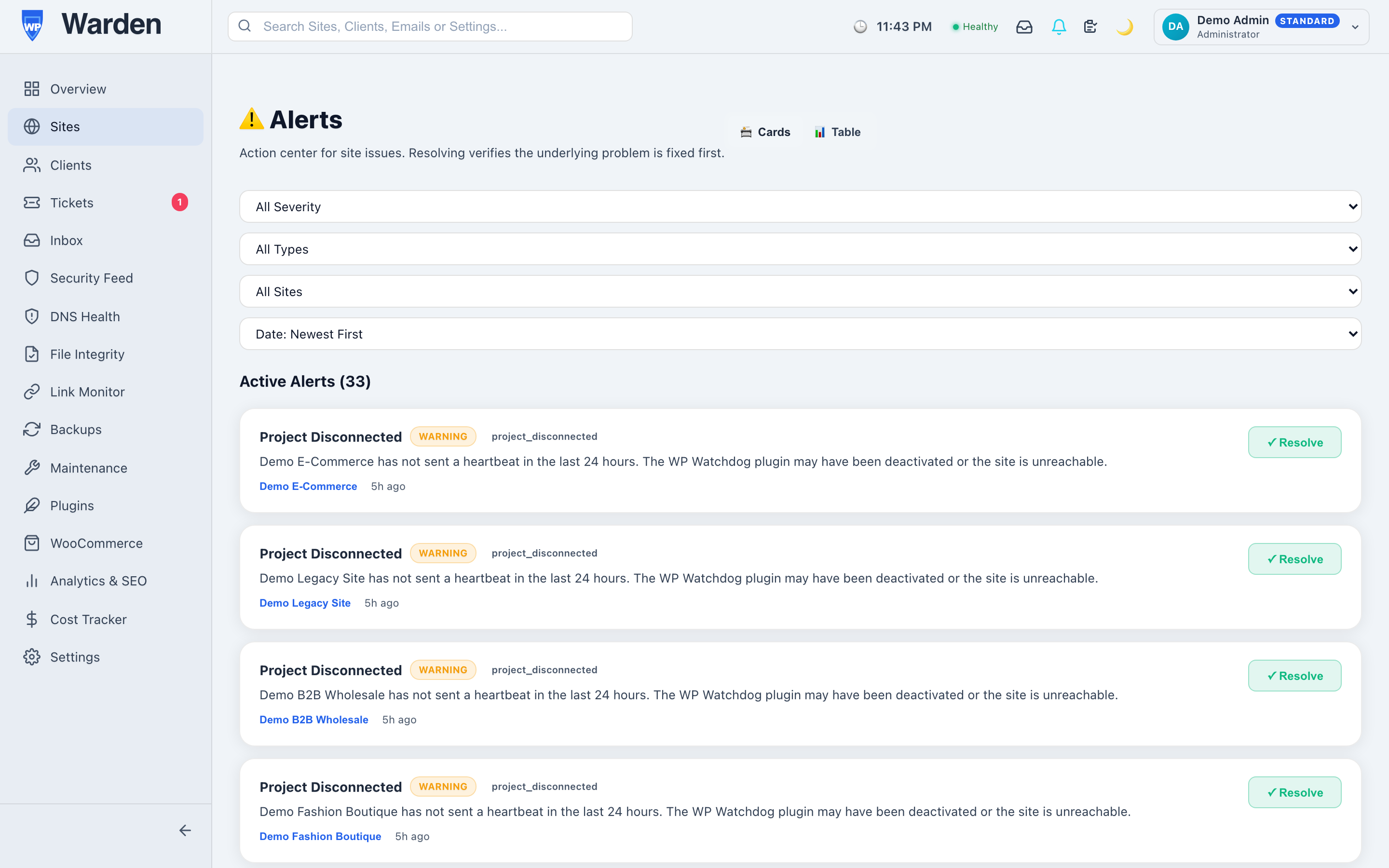
WP Warden’s notification system keeps a live WebSocket connection open between your browser and the dashboard’s backend. The moment a new alert is created, it appears — the alert badge updates live on every dashboard page, whether you’re actively looking at the alerts screen or somewhere else entirely working on a different client’s site.
What happens when the connection drops
Networks are unreliable in small, ordinary ways constantly — a laptop moving between wifi networks, a brief ISP hiccup, a server restart on the backend. A live connection that can’t recover from any of that quietly turns back into the same stale, refresh-dependent experience it was supposed to replace. WP Warden’s client reconnects automatically in the background the moment the connection is available again, with no action needed from you and no gap in coverage beyond the brief interruption itself.
Why the gap between polling and live is bigger than it sounds
Thirty seconds sounds negligible until you consider what can happen inside it during an active incident. A brute-force attempt can cycle through hundreds of password guesses in that window. A site under real load can go from struggling to fully unresponsive. The delay itself rarely causes the problem, but it does determine how far along the problem gets before a human even knows it’s happening — and that head start is exactly what a genuinely live connection removes.
How this plays out for a team, not just one person
The benefit compounds when more than one person is watching. Every team member with the dashboard open sees the same new alert at the same instant, without anyone needing to message the others that something’s happening. That shared, simultaneous awareness removes an entire category of coordination overhead — nobody has to be the one who notices first and tells everyone else, because everyone already knows at the same moment.
FAQ
Do I need to refresh the page to see new alerts?
No — alerts arrive live over an open connection without any manual refresh required.
What happens if my connection drops temporarily?
The client reconnects automatically in the background, with no action required from you and minimal gap in coverage.
Start a free 14-day trial — no credit card required.