WordPress Broken Link Monitor: Catching Dead Links Before Visitors Do
A broken “buy now” button doesn’t announce itself. It just sits there, quietly costing real money every minute nobody notices, until a customer finally gets frustrated enough to email — or, more often, just leaves without saying anything at all. A broken internal link is the same story with a slower fuse: it doesn’t lose you a sale today, it loses you a little search ranking every week it goes unfixed.
Table of contents
- How the monitor actually works
- Why a single failed check isn’t enough to alert on
- Where this actually matters most
- FAQ
- Deciding what actually belongs on the monitored list
How the monitor actually works
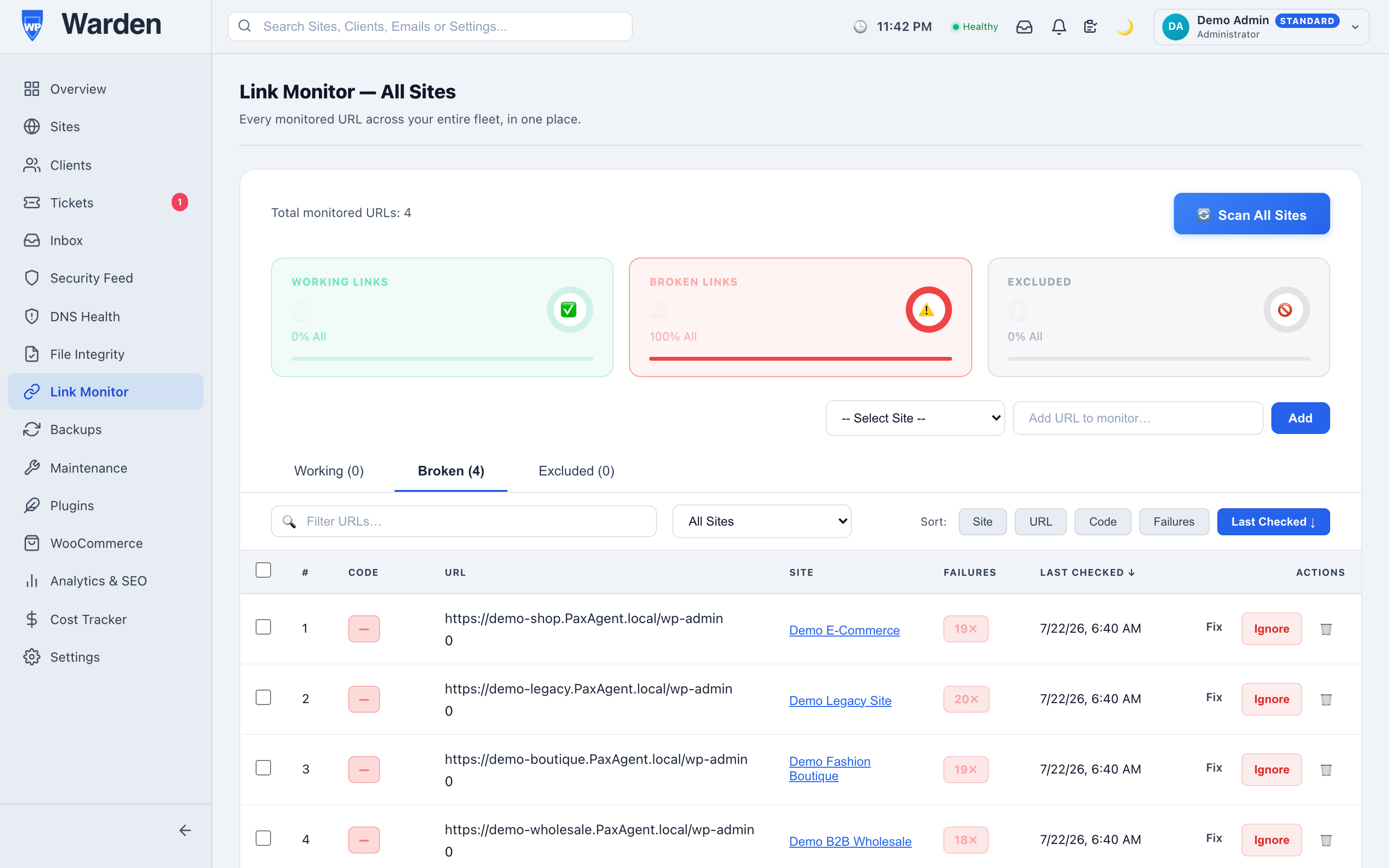
WP Warden’s link monitor checks every URL you add — an internal page, an external partner link, a checkout button, anything you actually care about — every five minutes with a lightweight HEAD request. It doesn’t crawl the whole site indiscriminately looking for links to check; you add exactly the ones that matter, which keeps the checks fast and the results actually meaningful instead of a flood of low-priority noise from links nobody cares about.
Why a single failed check isn’t enough to alert on
A momentary network blip happens more often than most people realize — a five-second DNS hiccup, a server briefly overloaded, a CDN having a bad minute. If a single failed check triggered an alert, you’d spend half your week investigating things that fixed themselves before you even opened the dashboard. A configurable failure-count threshold means a link only gets reported once it’s actually, repeatedly unreachable — turning “maybe broken” into “genuinely broken” before it ever reaches you.
Where this actually matters most
Two categories of link tend to matter disproportionately more than the rest of the site: revenue links and partnership links. A broken checkout button costs sales in real time; a dead affiliate or partner link quietly costs commission every day it stays broken, often on a link you set up once and never look at again unless something reminds you to. Both are exactly the kind of thing worth adding to a monitored list specifically, rather than hoping you’ll notice during a routine site check that may not happen for weeks.
Deciding what actually belongs on the monitored list
The temptation with any monitoring tool is to add everything, but a genuinely useful link-monitoring list is a curated one, not an exhaustive one. Worth adding: anything tied directly to revenue (checkout buttons, payment links), anything tied to a partnership or affiliate relationship where you don’t control the destination, and any link a client has specifically asked you to keep an eye on. Worth leaving off: routine internal navigation that a standard site crawl or SEO audit would catch anyway on its own schedule. The goal is a short list of links where a failure genuinely matters enough to justify a five-minute check every five minutes, not a comprehensive inventory of every link on the site.
FAQ
Does a single failed check trigger an alert?
No — a configurable failure threshold has to be crossed first, so a passing network hiccup never creates a false alarm on its own.
Does this monitor every link on a site automatically?
No — you add exactly the links you want tracked, rather than an indiscriminate scan of everything on every page.
Start a free 14-day trial — no credit card required.