WordPress Agency Team Management: Roles Instead of One Shared Admin Login
Almost every small agency starts the same way: one admin login, shared across the team, because setting up individual accounts felt like overkill when it was just two or three people. It stays that way long past the point where it should have changed, mostly because nothing forces the issue — until someone leaves the company and you realize the password everyone still uses is theirs to remember too.
Table of contents
- The real cost of a shared login
- How role-based access actually works
- Onboarding and offboarding without the awkward password reset
- FAQ
- Matching a role to how much trust is actually warranted
The real cost of a shared login
The cost isn’t hypothetical, and it isn’t just security. When something changes unexpectedly across a client fleet, the first question is always “who did this” — and with a shared login, the honest answer is “one of four people, we’re not sure which.” That’s not a minor inconvenience; it’s the difference between a five-minute investigation and an afternoon of asking around hoping someone remembers.
How role-based access actually works
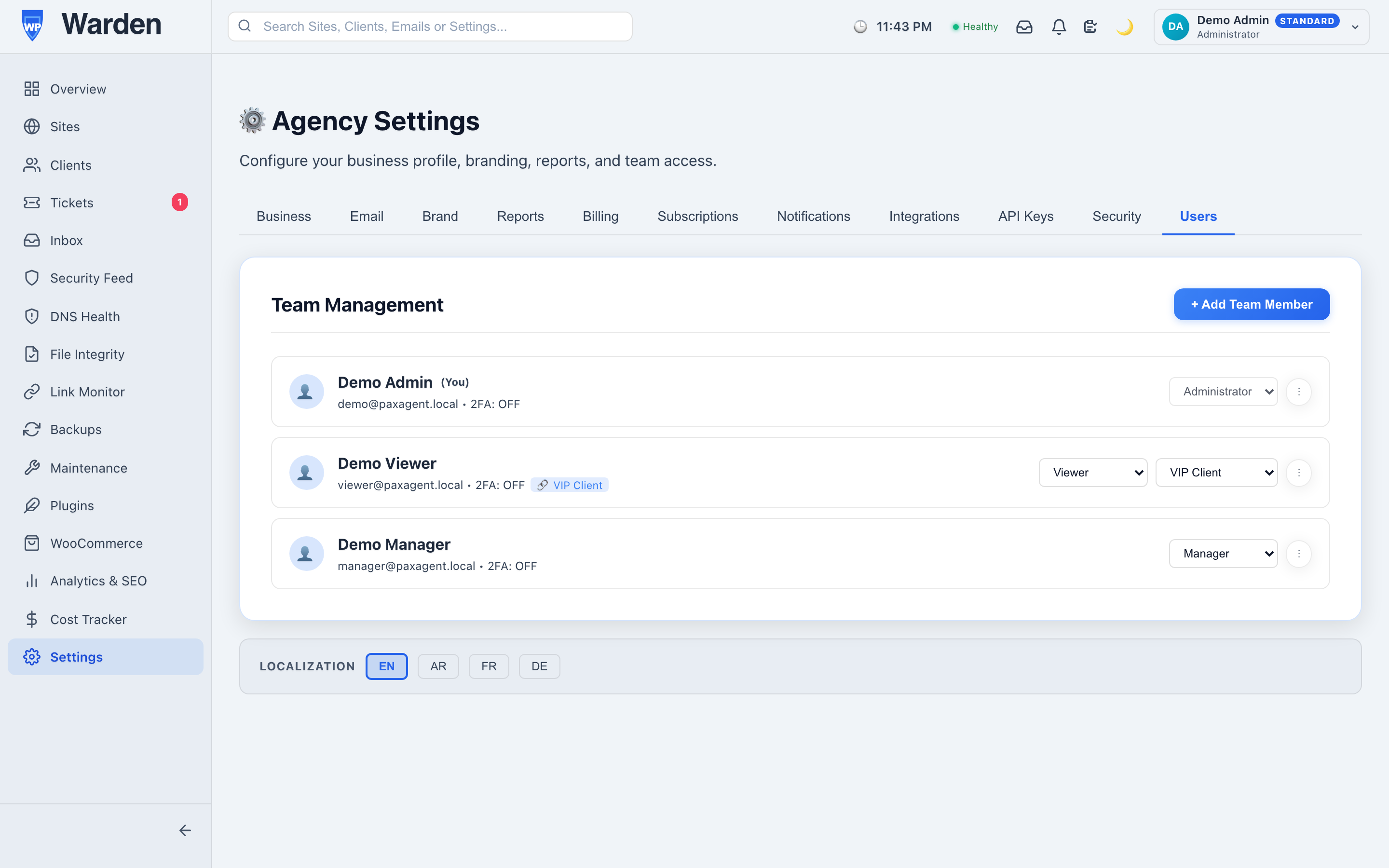
WP Warden’s team management lets you invite additional team members to your agency account, each with their own login and a role that controls exactly what they can see and do — from full administrator access down to a limited role that can view sites but not touch sensitive settings. Every action a team member takes is logged against their own specific account in the activity and audit log, so “who did this” always has a real answer.
Onboarding and offboarding without the awkward password reset
A new hire can get a genuinely limited account on day one — access enough to be useful, not enough to break something they don’t yet understand — and that access can expand naturally as trust builds, without ever rebuilding their account from scratch. The reverse matters just as much: when someone leaves, removing their access is a single action that doesn’t require changing a password everyone else also depends on, and doesn’t leave you wondering who else still technically has the old credentials written down somewhere.
Matching a role to how much trust is actually warranted
The hardest part of role-based access isn’t the technical setup — it’s the judgment call of what a specific person should actually be able to touch. A useful default: a new team member gets read access and the ability to perform routine, reversible tasks (checking site health, replying to tickets) from day one, with the ability to make destructive or account-level changes added deliberately, once they’ve demonstrated they understand the fleet they’re working on. This isn’t about distrust — it’s about designing the system so that a genuine mistake, which happens to everyone eventually, has a limited blast radius rather than an unlimited one.
FAQ
Can I limit what a specific team member can access?
Yes — roles provide granular control over which actions and data each team member can access, not just a simple admin-versus-everyone-else split.
Is every team member’s activity tracked separately?
Yes — every action is logged against the specific user account that performed it, feeding a complete audit trail rather than one anonymous shared history.
Start a free 14-day trial — no credit card required.