WordPress GDPR Compliance: Handling Data Export and Erasure Requests Properly
A data subject request lands — someone wants everything you have on them exported, or wants their account gone entirely — and if there’s no real process for this, it becomes an engineer manually writing a database query under time pressure, hoping they’ve found every table that references that person’s data. That’s a genuinely risky way to handle something that should be routine and boring.
Table of contents
- Why ad-hoc handling is a real risk
- How self-serve export and erasure work
- Why consistency matters more than most compliance features
- FAQ
- What a well-handled request actually looks like
- Why it’s worth setting this up before you actually need it
Why ad-hoc handling is a real risk
The risk with handling data requests by hand isn’t usually bad intent — it’s inconsistency. One request handled by one team member might genuinely capture everything; the same request a month later, handled by someone else under a different amount of time pressure, might miss something. Neither person did anything wrong exactly, but the outcome is unpredictable in a domain where predictability is the entire point.
How self-serve export and erasure work
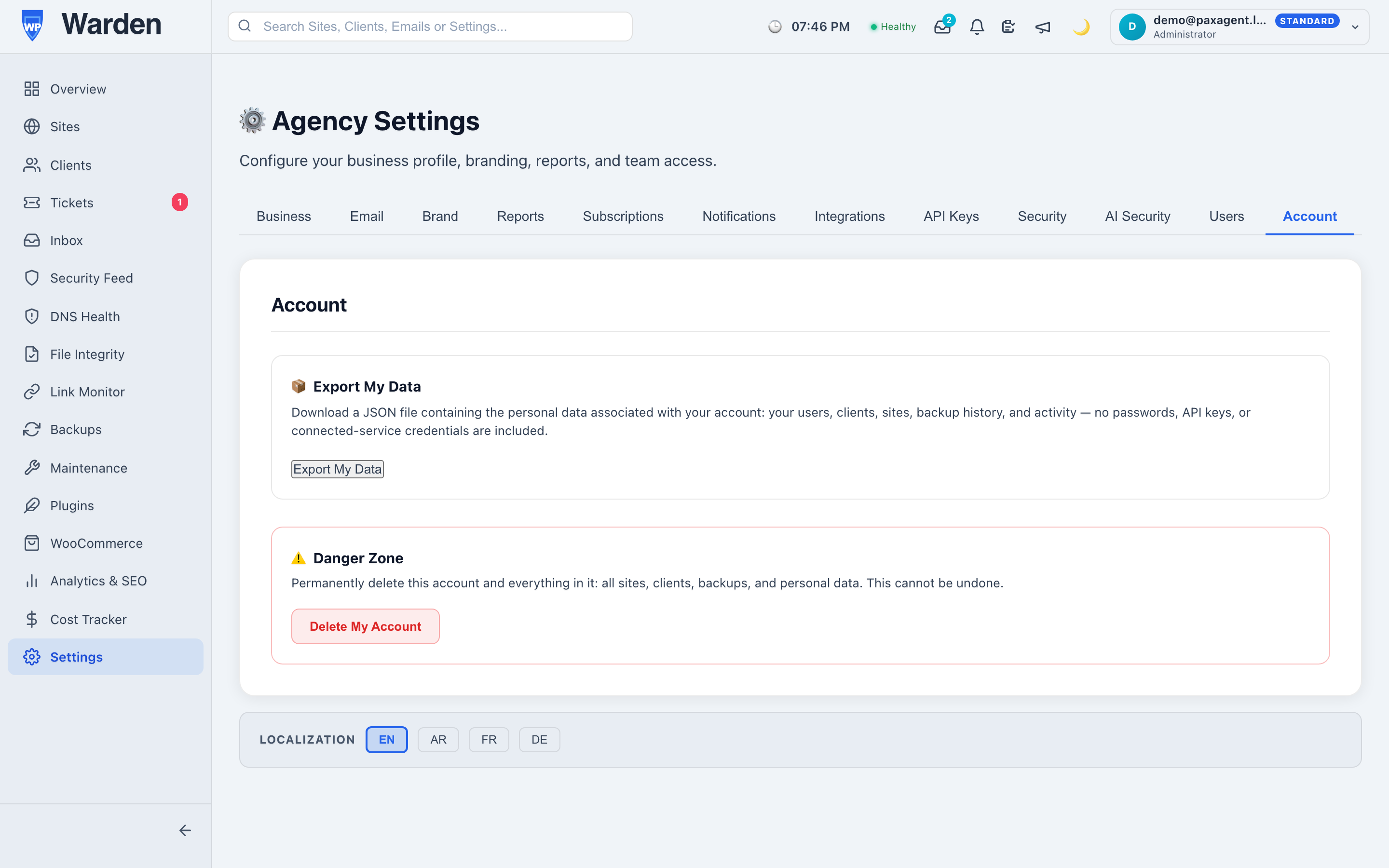
WP Warden’s GDPR compliance tools live directly in account settings, giving users a self-serve way to export their own data or request account erasure, rather than requiring a manual support request handled by hand every single time. Because it’s the same tested path every time, the outcome is consistent regardless of who’s on the team that day, or how busy things happen to be.
Why consistency matters more than most compliance features
Most security and compliance work is judged on whether it prevented something bad from happening — hard to see, easy to take for granted. Data request handling is judged differently: it’s judged on whether the same request, handled twice by two different people, produces the same correct outcome both times. Building that consistency into the settings screen itself, rather than into institutional memory or a document someone has to remember to follow, is what actually makes it dependable.
What a well-handled request actually looks like
A well-handled data request is, ideally, boring — the person submits it, receives confirmation, and the outcome is exactly what was promised, without anyone on the team needing to be involved at all beyond the initial setup. That’s a deliberately unglamorous goal, but it’s the right one: the measure of a good compliance process isn’t how impressive it looks, it’s how little anyone has to think about it once it’s in place, and how confident you can be that the same reliable outcome happens every time regardless of who’s on the team that week.
Why it’s worth setting this up before you actually need it
Compliance tooling is the kind of thing that’s easy to deprioritize right up until an actual request arrives with a real deadline attached. Having self-serve export and erasure already available means the first real request is handled the same calm, routine way as the hundredth — rather than being the moment someone scrambles to figure out how this is even supposed to work in the first place.
FAQ
Can a user request their own data export?
Yes — a self-serve export option lives directly in account settings, available whenever a user wants it.
Does account erasure require manual intervention?
No — it’s a self-serve option built into the same settings area, not a manual request that has to be processed individually by a team member.
Start a free 14-day trial — no credit card required.