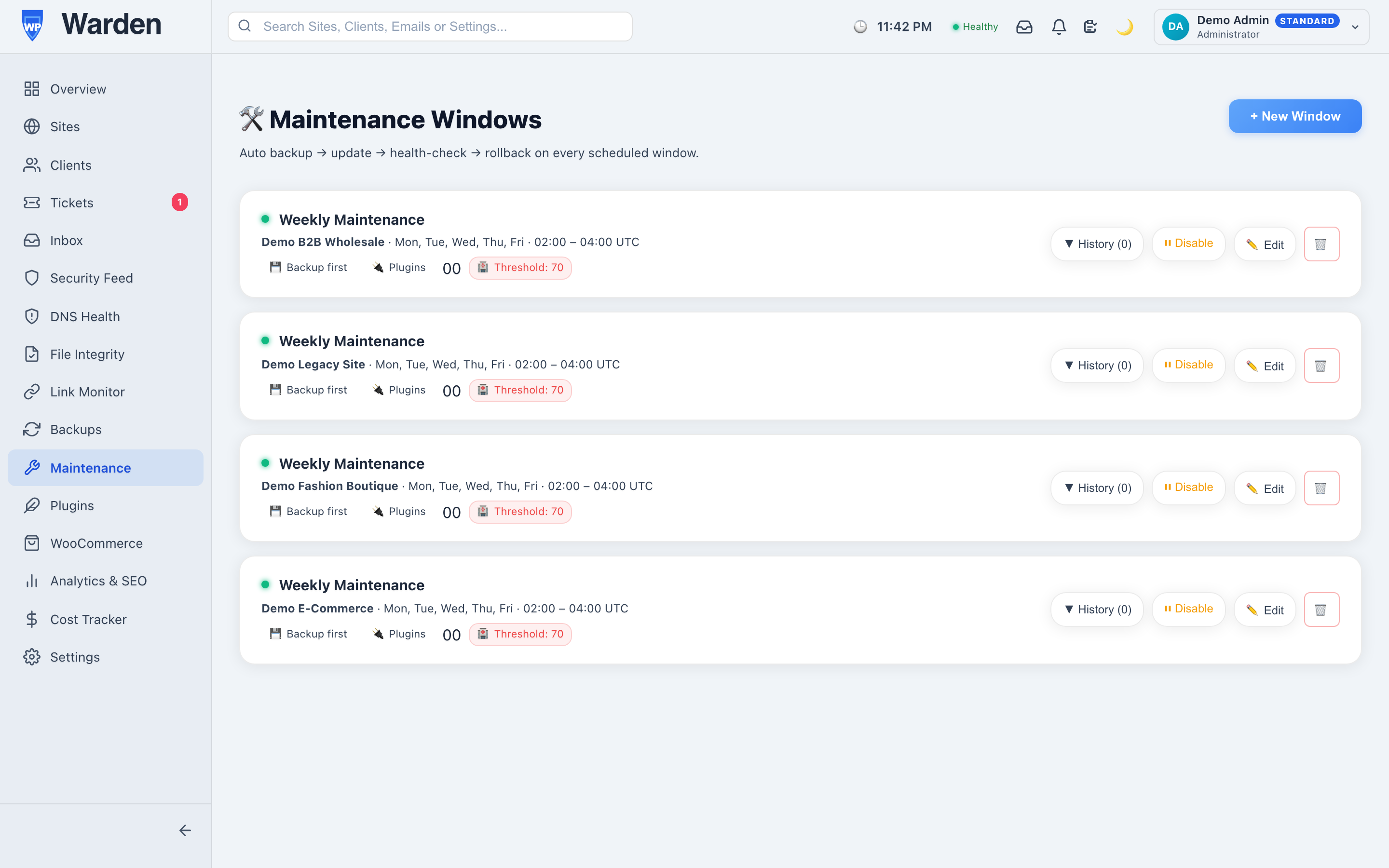
How It Operates
Runs every 15 minutes and checks each enabled window’s recurring days and hour range. When a site’s
window is active, it takes a backup, queues its plugin, theme, and core updates, then checks the site’s
health afterward — automatically rolling back if the health score drops below your configured threshold.
WordPress Management
Benefits
- Reduced Administrative Overhead:
Backups and updates run on their own schedule, with no one needing to click “Update” manually.
- Improved Site Reliability:
Schedule updates during low-traffic hours, with an automatic safety net if something breaks.
- Reduced Update Risk: A fresh
backup is taken right before every update, so a bad update is always one restore away from fixed.
High-Impact Use Cases
- Weekly Maintenance Cycles:
Schedule recurring backup-and-update windows on your preferred days and hours.
- Hands-Off Update Safety: Let
the health check catch a broken update and roll it back before a client ever notices.
Competitive Advantages &
Differentiators
- Automatic Health-Based Rollback:
Restores the pre-update backup automatically if the post-update health score falls below your
threshold — no manual intervention needed.
- Real-Time Run Status: Watch each
maintenance run start and progress live on your dashboard via WebSocket updates.
—