Installing WordPress Plugins Remotely From WordPress.org, Without Logging Into the Site
A client messages asking for a specific plugin to be installed — nothing complicated, just a form builder or a caching plugin they’ve heard good things about. The old routine: open a new tab, navigate to their site’s wp-admin, log in, find the plugin, install it, close the tab. Five minutes for one small favor, repeated every time a similar request comes in.
Table of contents
- How remote installation actually works
- Why searching the full directory matters
- What this looks like at scale
- FAQ
- What happens when an installation doesn’t go smoothly
How remote installation actually works
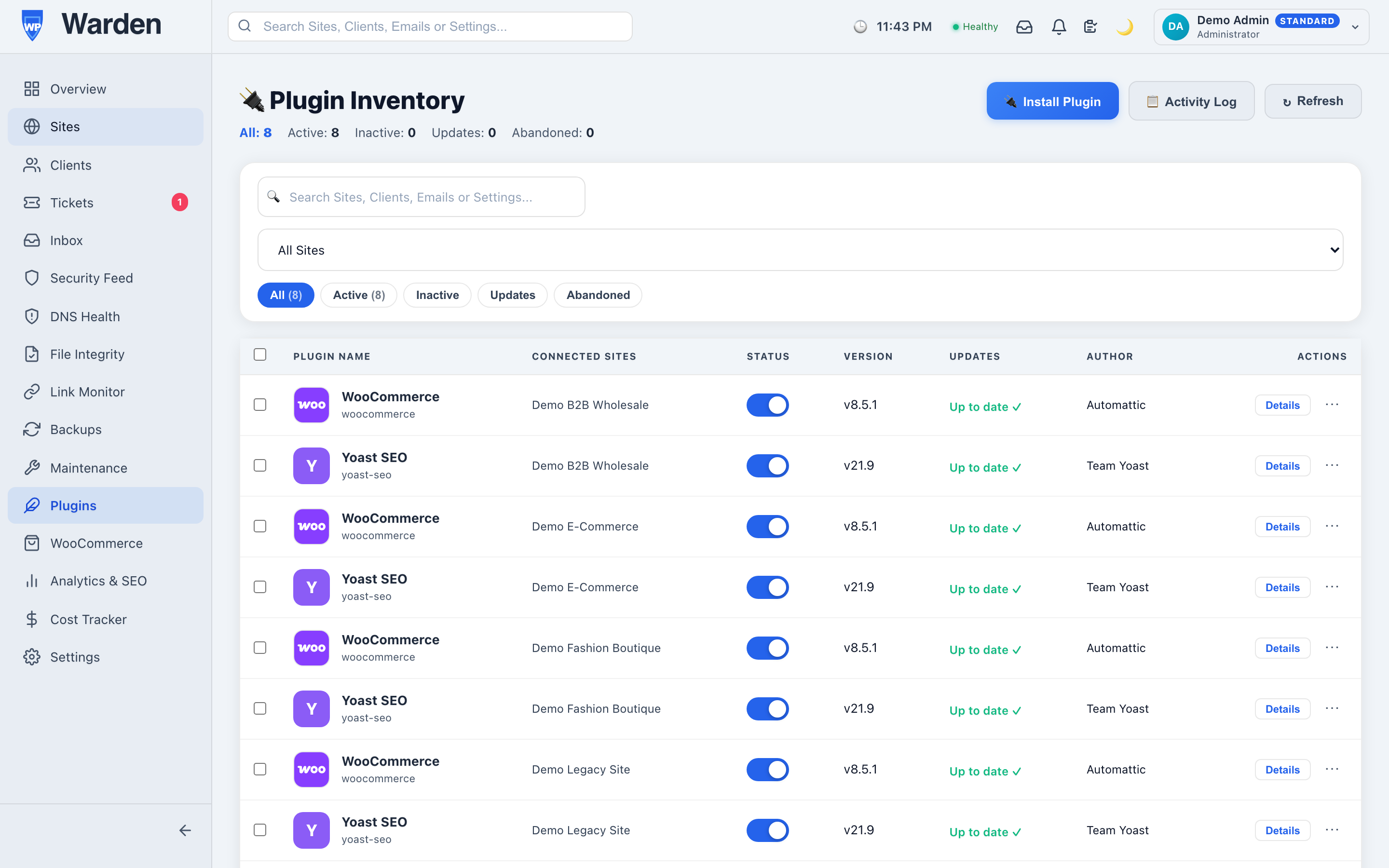
Search the full WordPress.org plugin directory directly from the WP Warden dashboard and install anything you find to a remote site in one click, with no need to log into WordPress for that site first. The command travels through the same reliable command channel that powers every other remote action, and the site reports installation success or failure back to the dashboard automatically.
Why searching the full directory matters
A pre-curated shortlist of “approved” plugins sounds convenient until the specific plugin a client wants isn’t on it. Searching the same complete WordPress.org directory that wp-admin itself uses means there’s never a gap between what a client can reasonably ask for and what’s actually installable from the dashboard — the full ecosystem is available, not a subset someone decided was popular enough to include.
What this looks like at scale
The five-minute favor becomes genuinely significant when the same plugin needs to go onto fifteen client sites at once — a common scenario when standardizing a fleet on a new security plugin, for instance. Installing it remotely, site by site, from the same dashboard without a single separate login, turns what would have been over an hour of repetitive logins into a task measured in minutes. Newly installed plugins show up immediately in the same fleet-wide plugin management view alongside everything else already installed.
What happens when an installation doesn’t go smoothly
Not every remote installation succeeds on the first try — a site might be temporarily unreachable, or a plugin might have a compatibility issue with the site’s current WordPress version. When that happens, the failure is reported back to the dashboard clearly rather than leaving you uncertain whether it actually worked, so there’s never a need to separately log into the site just to confirm one way or the other. That reporting loop is what makes remote installation trustworthy enough to rely on for real client requests, not just a convenience for the cases that happen to go smoothly.
FAQ
Is this a real remote installation, or just a shortcut link?
A real remote installation over the command channel — not simply opening a WordPress login link for you to complete manually.
Can I install the same plugin on multiple sites at once?
Yes, one at a time through the same fast workflow, without needing separate logins for each individual site.
Start a free 14-day trial — no credit card required.