WRITE AND PUBLISH
WITHOUT WORDPRESS ADMIN.
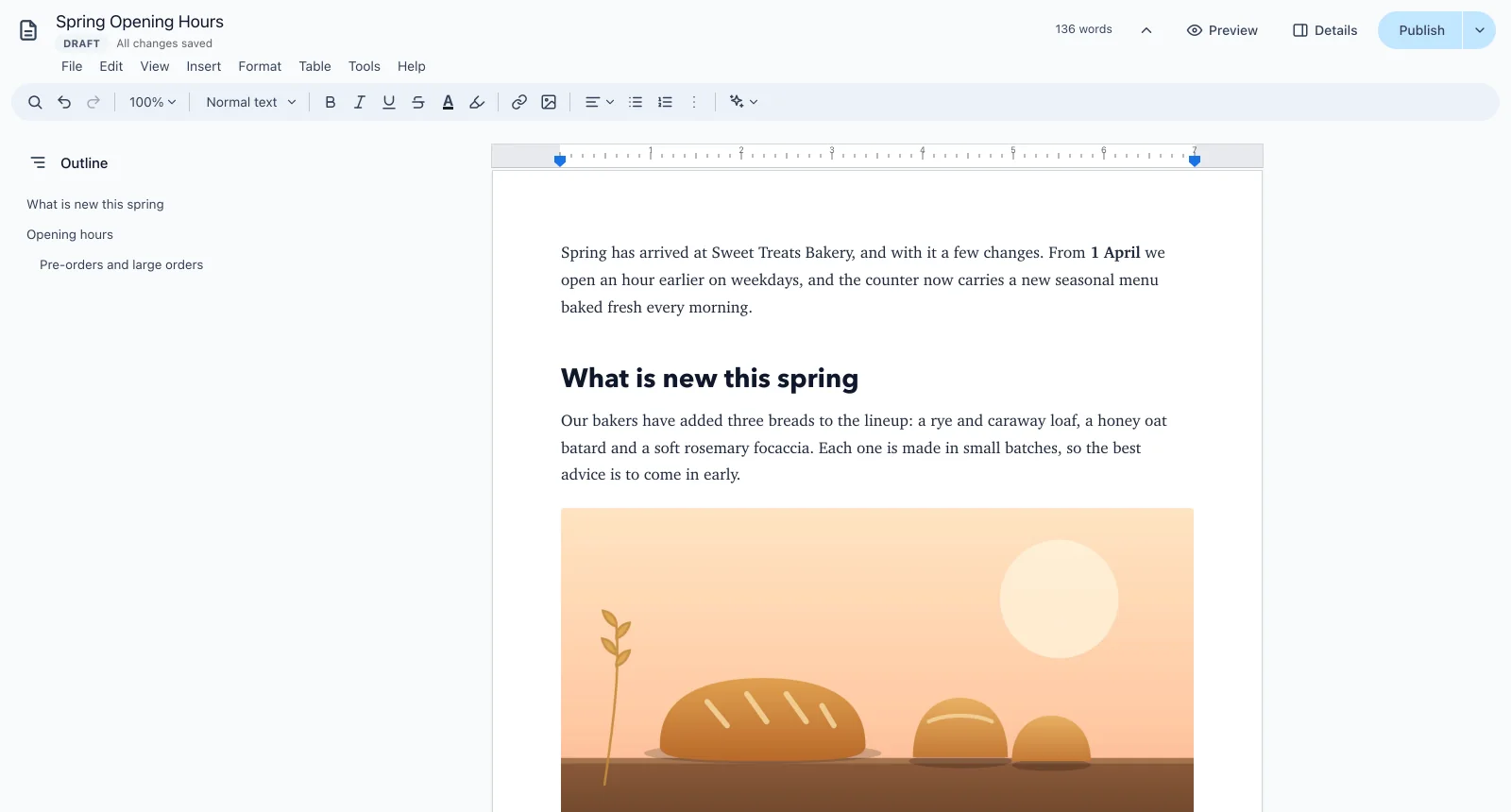
A clean, document-style editor inside your client portal. Save drafts, schedule posts, preview as visitors see them, and publish safely.
- No wp-admin login needed
- Exact block fidelity
- Included in Plus and Pro
WORDPRESS ADMIN IS CLUTTERED,
AND RISKY FOR WRITERS.
Traditional WordPress admin gives team members too many menus, too much power, and constant update notifications.
Too many controls
Dozens of sidebar menus, plugin notices, and settings make finding the post editor stressful for non-technical team members.
Edits wait for developers
Simple text corrections, blog posts, and marketing updates often get delayed because teams hesitate to touch wp-admin.
Accidental layout breaks
Full administrative access allows accidental changes to themes, site-wide menus, plugins, or critical tracking scripts.
A FAMILIAR DOCUMENT,
NOT A DASHBOARD.
FAMILIAR LAYOUT,
ZERO CLUTTER.
An intuitive menu bar, toolbar, document outline, and live preview that loads your site's own typography and styles.
Rich media and formatting
Headings, formatted text, blockquotes, lists, cover images, buttons, and responsive video embeds.
Document outline
Jump between headings easily to navigate long articles and comprehensive guides.
Theme styling loaded
Content renders with your actual theme fonts and colors, so there are no visual surprises on publish.
Content table
Search, sort and filter posts and pages by status or category, change the status of many at once, and move them between categories.
DRAFT, SCHEDULE,
AND PREVIEW.
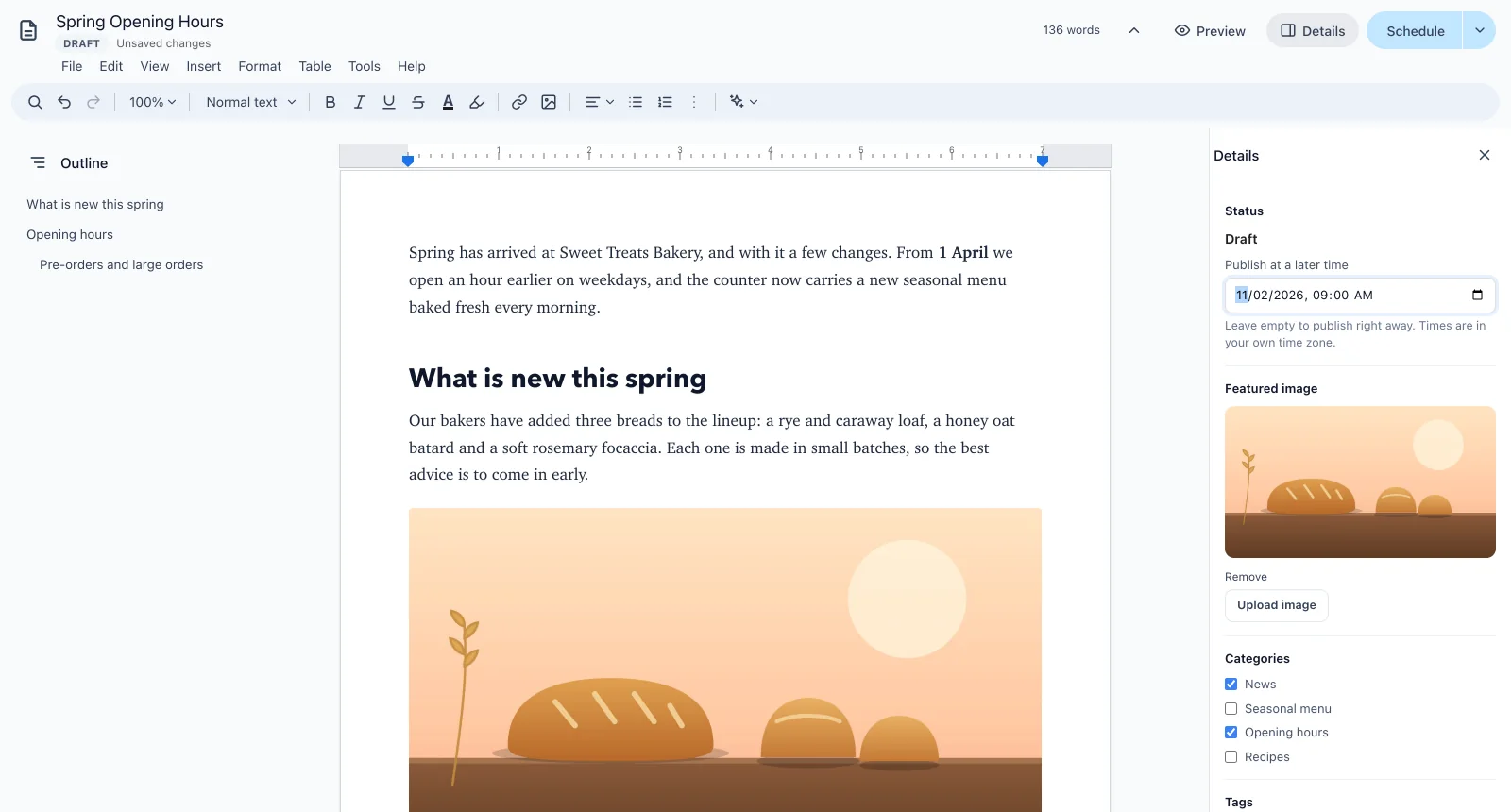
Take total control over your editorial workflow. Save working drafts, schedule publication for later, and preview safely.
Token-scoped preview links
Share preview links with clients or team members to approve content before it goes live.
Revision history
Browse earlier revisions and restore previous drafts if you need to roll back wording.
Conflict detection
Real-time content hashing prevents two teammates from accidentally overwriting each other's edits.
INTERACTIVE TABLES
WITHOUT EXTRA PLUGINS.
Build searchable, sortable tables directly inside your posts and pages for price lists, directories, and schedules.
Search box
Visitors can filter rows in real time directly on the page.
Sortable columns
Click any header to sort ascending or descending directly.
Clean HTML output
Renders lightweight semantic markup with zero bloat or third-party dependencies.
REVIEW IT AS VISITORS
WILL SEE IT.
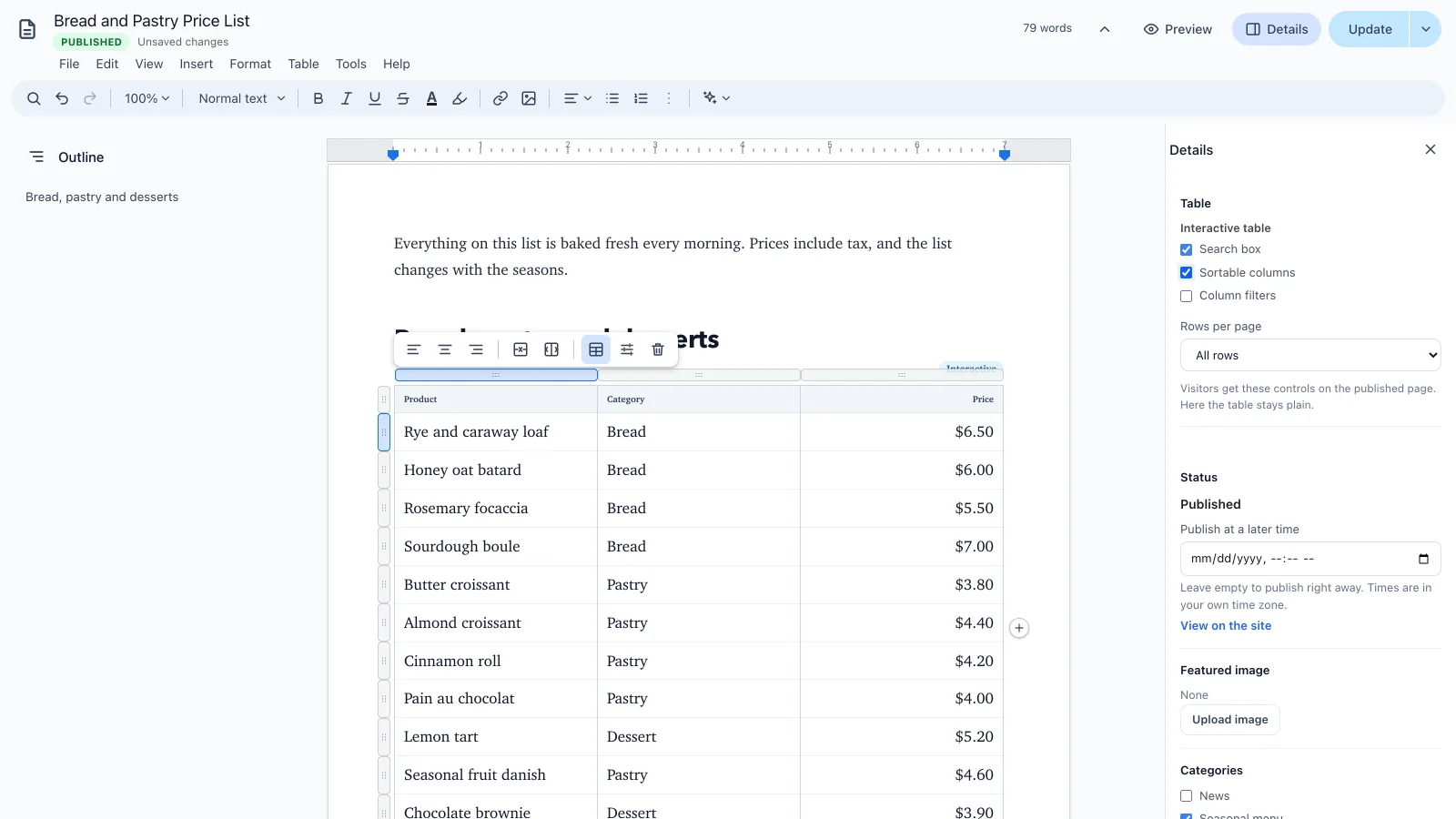
Review mode shows the draft on your own site, including changes you have not saved yet. Nothing is published until you decide.
Device widths
Switch between desktop, tablet and phone widths to check how the page reads.
Open in a new tab
Open the preview in its own tab to share it or look at it full size.
Back to editing
One button returns you to the draft exactly where you left it.
SEO FIELDS
IN THE DETAILS PANEL.
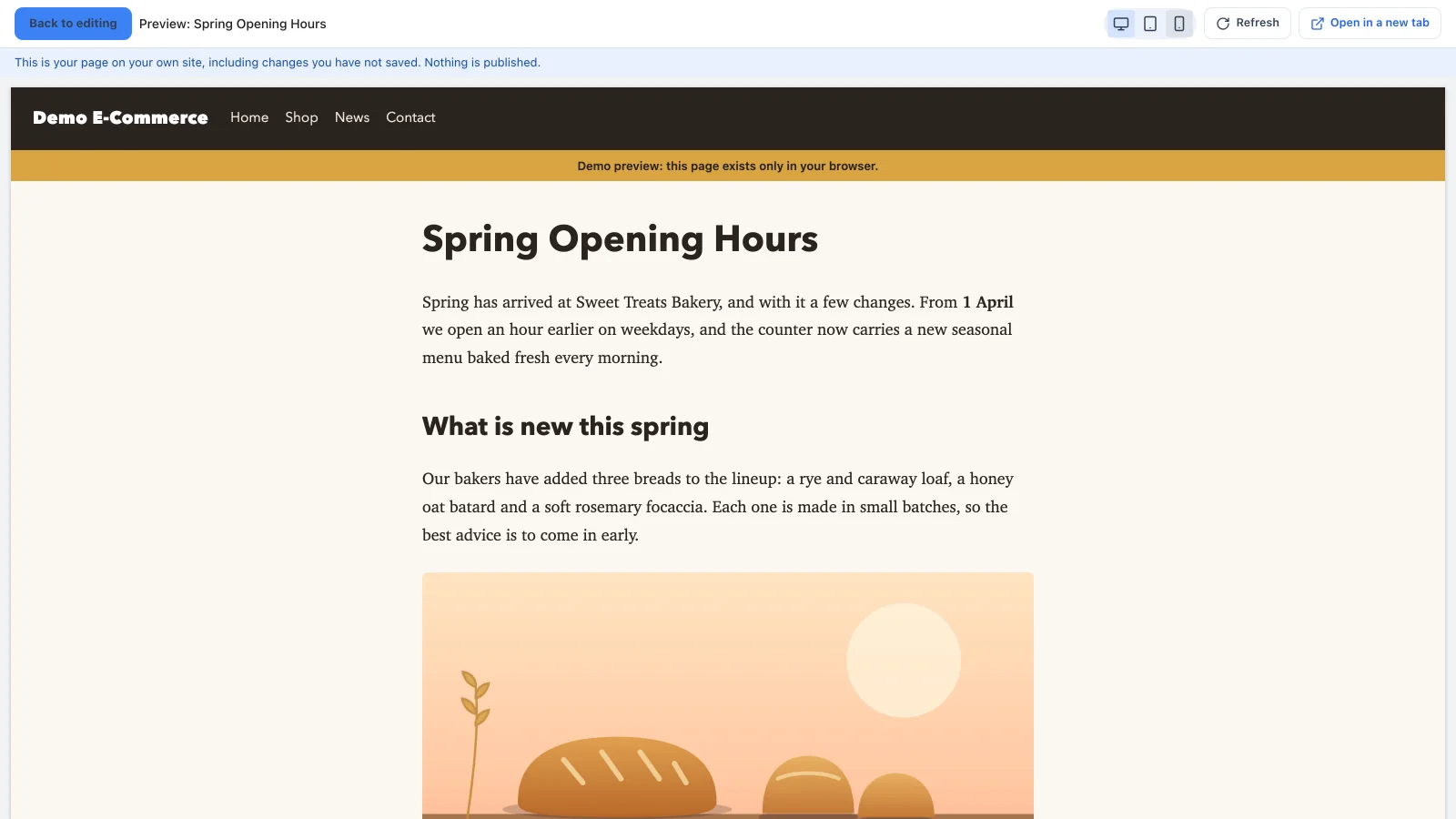
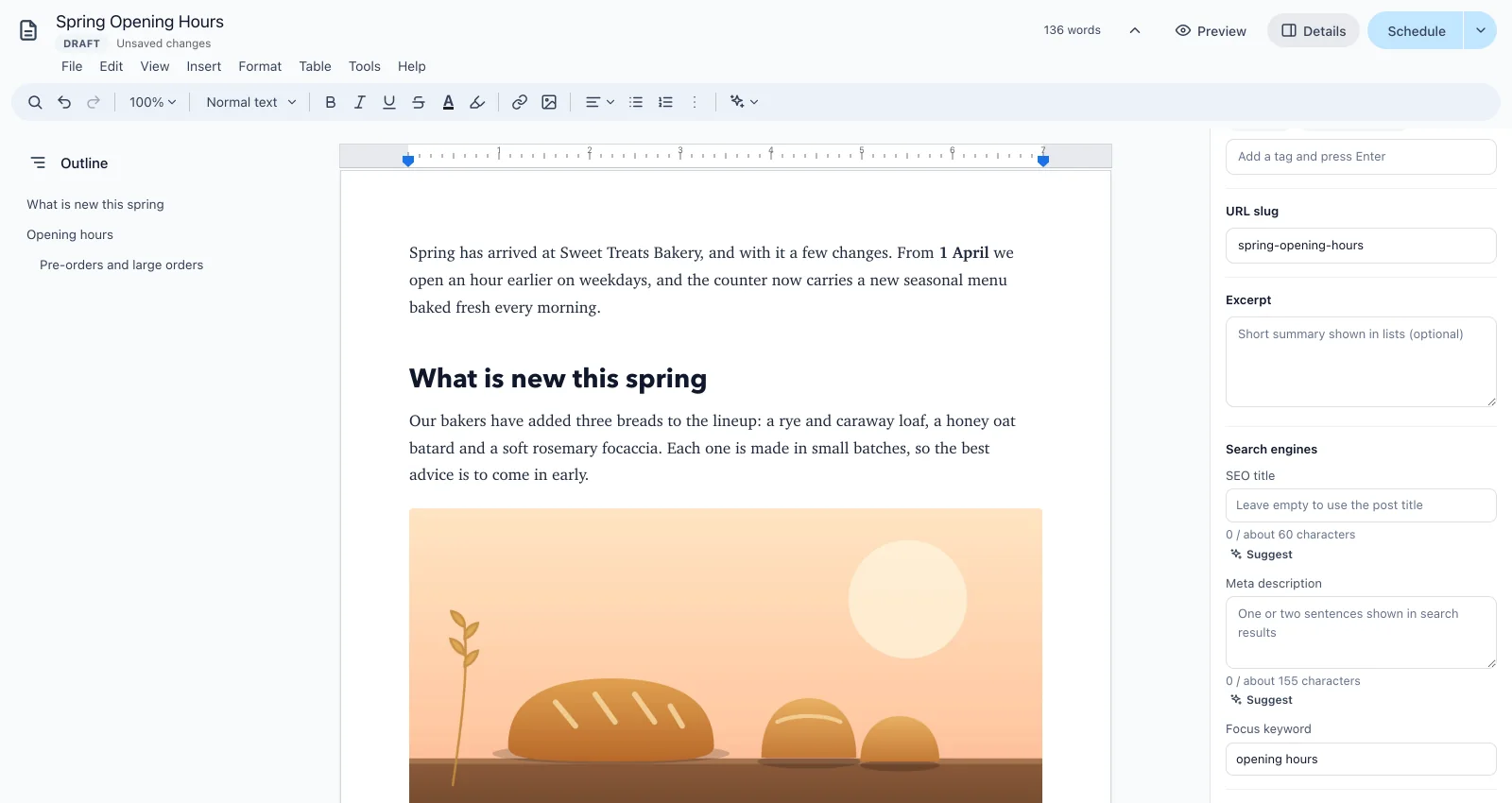
The Details panel holds the URL slug, excerpt, SEO title, meta description and focus keyword next to the draft, so they are set while you write.
Title and description
Character guides show how long each field is as you type.
Focus keyword
Note the keyword the page is written for.
Earlier versions
Show earlier versions of the post from the same panel.
EDITOR ACTIVITY
IN THE REPORT.
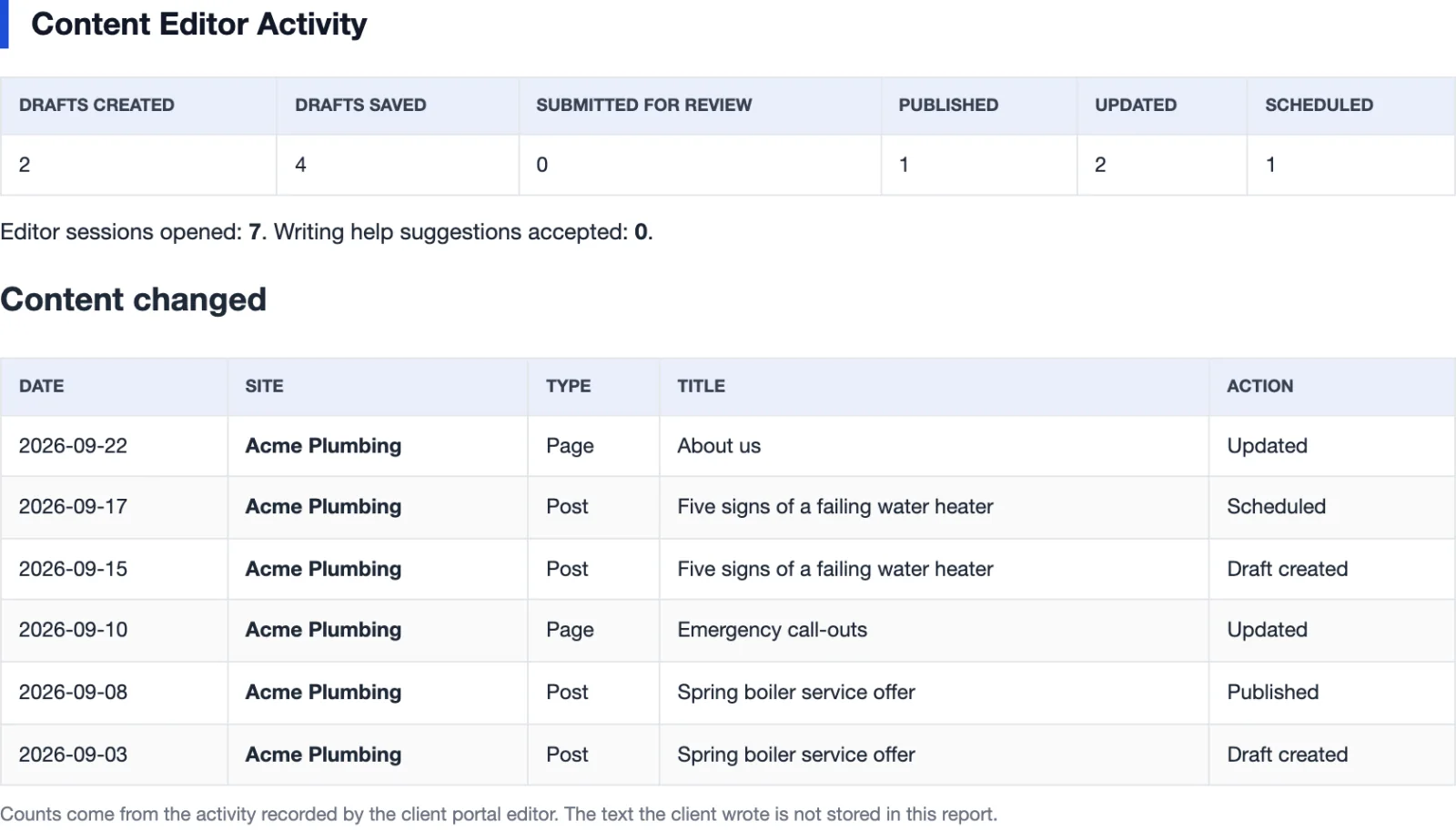
On the plans that include the sample report section, the monthly report counts drafts created, saved, published, updated and scheduled, with the titles of the content that changed.
Counts and titles
Stakeholders see what was written and when.
No private text
The text the client wrote is not stored in the report.
Part of the monthly PDF
It sits next to backups, updates and uptime.
Screens show demo data from the WP Warden live demo.
BUILT FOR WRITERS,
MARKETERS AND EDITORS.
Everything content creators need to publish polished, SEO-ready pages.
SEO fields in the document
Set the meta title, description, and focus keywords for major SEO plugins directly in the details panel while drafting.
Visual template text mode
Safely update text and headings on visually designed landing pages without opening third-party design tools or disturbing layouts.
Activity in monthly reports
Monthly reports track draft creations, updates, and publications so stakeholders see active editorial momentum.
WRITING ASSISTANCE,
ON YOUR TERMS.
PROOFREAD AND REFINE,
NOT AUTOPILOT.
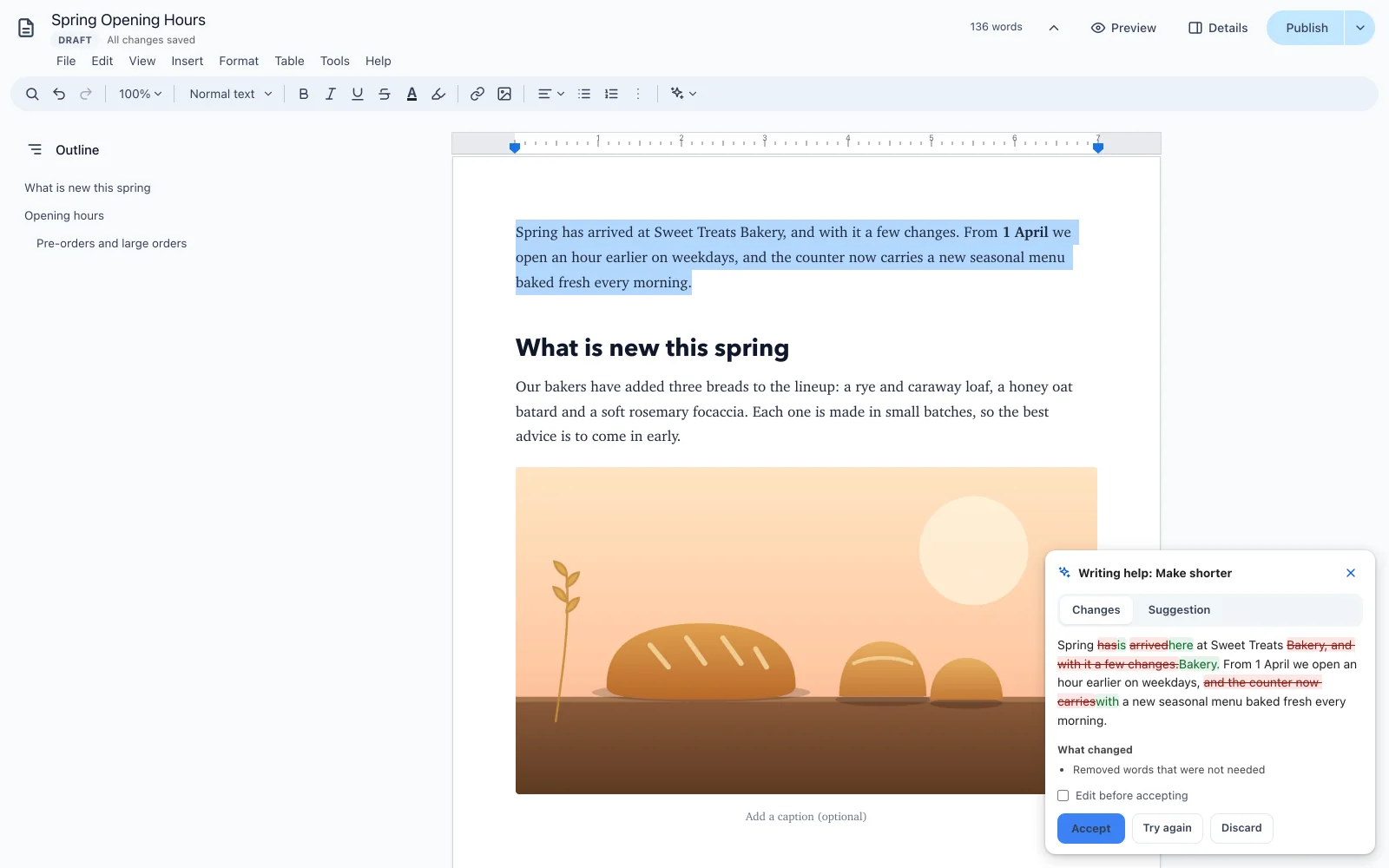
Included in the Pro plan, optional AI assistance helps polish copy, improve readability, and generate meta descriptions. Suggestions apply only when you accept them.
Proofread and rewrite
Fix grammar, eliminate passive phrasing, or refine tone for professional clarity.
Expand or shorten
Summarize lengthy drafts into executive briefs or expand key talking points.
SEO and alt text
Draft compelling meta descriptions and accessible image alt text in seconds.
Screens show demo data from the WP Warden live demo.
SAFE BY DESIGN,
ZERO LAYOUT RISK.
We designed the editor so it is technically impossible to break your site.
Security and fidelity rules
- Exact block fidelityThe editor generates native Gutenberg block markup. Any complex custom blocks it cannot represent are locked safely in place.
- WordPress permission enforcementYour site's assigned WordPress role governs publishing rights. If a user is an Author, they can draft but not publish.
- No post content on our serversYour draft text and images stay on your WordPress site. The platform never stores your private editorial content.
- Restore points before updatesAll content benefits from your care plan's regular backups and Time Machine restore capabilities.
Requires the WP Warden companion plugin active on your WordPress website.
WHAT THE EDITOR
CAN AND CANNOT DO.
We believe in being completely upfront about scope and technical boundaries.
Native block content
The editor is purpose-built for standard WordPress block-editor posts and pages. It handles rich text, tables, columns, and media flawlessly.
Visual design tools are text-only
For pages designed in external design tools, text editing is supported in text mode, but restructuring complex visual sections requires wp-admin.
Requires assigned WP user
Content actions are authenticated via a dedicated WordPress user on your site so all author attributions and permissions remain accurate.
FREQUENTLY ASKED
QUESTIONS.
Common questions about portal editing, security, and permissions.
Do I need a WordPress login to use the editor?
Can multiple people on my team write at the same time?
Will the editor break my site's layout or formatting?
Does the editor work with visual design tools?
Where is my draft content stored?
Who can see what I write?
Can I schedule posts to publish in the future?
What does the AI see if I use writing assistance?
READY TO WRITE WITHOUT
WORDPRESS ADMIN?
The content editor is included in Plus and Pro plans, and available as an add-on for Starter.